


 [01]
[01]Discovery
We review the current WordPress implementation, editor workflows, template structures, and known support issues. This establishes the operational context and identifies where the page builder layer is creating risk or inefficiency.
Beaver Builder maintenance
Check for template drift, module issues, update risk, and editor workflow friction across your WordPress build.
Built for teams managing Beaver Builder, Beaver Themer, and ongoing WordPress updates.
No login required. Takes 2–3 minutes.
Beaver Builder maintenance focuses on keeping WordPress editing environments stable, predictable, and supportable as content operations expand. In many organizations, Beaver Builder becomes a critical layer for landing pages, campaign content, reusable layouts, and editor-managed publishing workflows. Over time, plugin updates, theme changes, custom modules, and inconsistent template usage can introduce instability that affects both authors and engineering teams.
This capability addresses the operational side of page builder ownership: maintaining compatibility across WordPress core, plugins, themes, and custom code; managing template structures; reducing editor friction; and controlling layout drift. It also includes reviewing how Beaver Builder and Beaver Themer are used across content types, page templates, and publishing processes so that the platform remains maintainable rather than becoming a source of recurring support issues.
For enterprise teams, maintenance is not limited to bug fixing. It supports scalable platform architecture by establishing guardrails for editors, reducing regression risk during updates, and aligning page builder usage with broader WordPress governance, performance, and modernization objectives.
Core Focus
Best Fit For
Key Outcomes
Technology Ecosystem
Delivery Scope
As WordPress platforms grow, page builders often become deeply embedded in day-to-day publishing. Teams create landing pages, campaign variants, reusable rows, and theme-level templates over long periods of time, often with limited governance. What begins as a flexible editing model can gradually turn into a fragmented system of inconsistent layouts, duplicated modules, ad hoc CSS overrides, and unclear ownership between content teams and engineering.
These conditions create architectural and operational strain. Plugin and core updates become harder to validate because template behavior is not standardized. Custom Beaver Builder modules or Themer integrations may depend on assumptions that are no longer documented. Editors encounter broken layouts, inconsistent controls, or unpredictable rendering differences between staging and production. Engineering teams then spend time diagnosing issues that originate from accumulated configuration drift rather than isolated defects.
The result is slower publishing, higher maintenance overhead, and increased release risk. Small platform changes can affect many pages at once, while content teams lose confidence in the editing experience. Without a structured maintenance model, the page builder layer becomes difficult to evolve, harder to govern, and increasingly expensive to support as the platform matures.
Assess the current WordPress and Beaver Builder implementation, including themes, templates, custom modules, and editor workflows. The goal is to identify instability patterns, unsupported customizations, and maintenance hotspots.
Review how layouts, rows, modules, and Themer templates are used across the platform. This helps distinguish reusable patterns from one-off implementations and exposes areas where governance is missing.
Map dependencies between WordPress core, plugins, theme logic, custom code, and page builder behavior. This stage defines where updates or content changes are most likely to introduce regressions.
Refine template structures, remove fragile overrides, and improve consistency in reusable page patterns. The focus is on making editing behavior more predictable and reducing layout drift over time.
Test updates and configuration changes against representative page types, modules, and editorial workflows. This includes checking rendering, field behavior, responsive layouts, and integration points.
Introduce maintenance procedures for updates, rollback planning, issue triage, and content support. These controls reduce ad hoc fixes and create a repeatable support model for platform teams.
Document template rules, support boundaries, known constraints, and maintenance responsibilities. This gives engineering and content teams a shared reference for ongoing platform operation.
This service strengthens the technical foundations required to operate Beaver Builder reliably within enterprise WordPress environments. It focuses on maintainable template structures, controlled customization, compatibility management, and safer editorial workflows. The emphasis is on reducing fragility in the page builder layer while preserving flexibility for content teams. These capabilities support long-term platform stability and make future modernization work easier to plan.
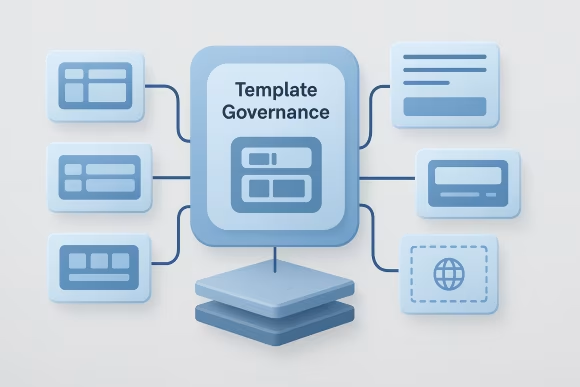
Template governance establishes consistent rules for how layouts, rows, modules, and global elements are created and reused. It reduces uncontrolled variation across pages and makes support work more predictable. In practice, this means defining where editors can customize content safely and where structural patterns should remain fixed to protect maintainability.
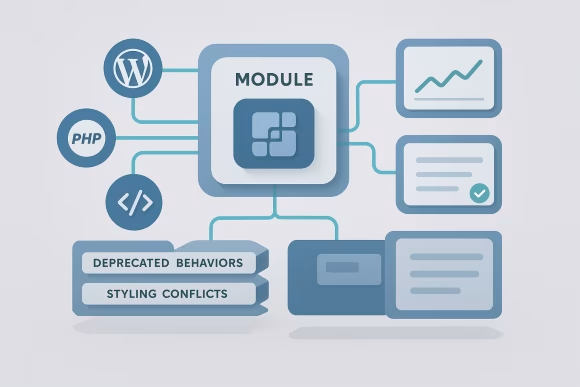
Custom and third-party modules are reviewed for compatibility with current WordPress, PHP, and builder versions. This capability focuses on identifying fragile implementations, deprecated behaviors, and styling conflicts that can break editing or rendering. Stabilizing modules reduces recurring support incidents and improves confidence during updates.

Beaver Themer often connects archive templates, post layouts, headers, and dynamic content rules to the broader WordPress theme layer. Maintaining these integrations requires careful control of template precedence, field mappings, and conditional logic. This capability helps ensure dynamic templates behave consistently across content types and environments.
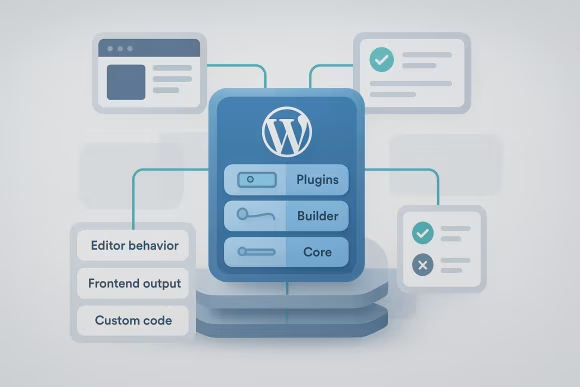
WordPress core, plugin, and builder updates can introduce regressions when page structures depend on undocumented assumptions. Compatibility management creates a process for validating changes before release, with attention to editor behavior, frontend output, and custom code interactions. The result is a more controlled update path with fewer production surprises.
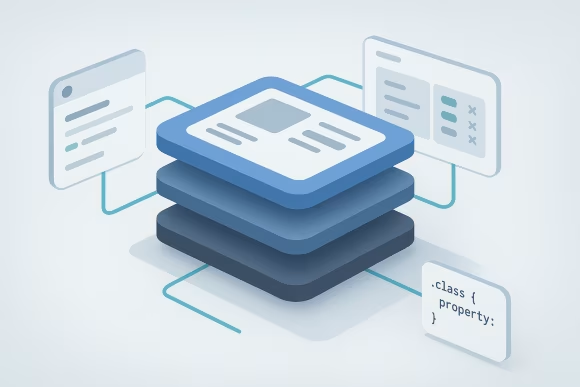
Page builder implementations often accumulate CSS overrides that are difficult to trace and easy to break. Styling control focuses on rationalizing where presentation logic lives, reducing conflicts between theme styles and builder output, and improving responsive consistency. This makes layout behavior easier to debug and maintain.

Editorial guardrails define safe editing boundaries through template structure, role-aware workflows, and controlled reusable components. Rather than relying on manual discipline, the platform is shaped so common publishing tasks can be completed without damaging layout integrity. This lowers support demand while preserving author autonomy.

A supportable architecture treats Beaver Builder as one managed layer within the wider WordPress platform rather than an isolated editing tool. It aligns templates, customizations, integrations, and operational processes so issues can be diagnosed systematically. This capability improves long-term maintainability and creates a clearer path for future platform evolution.
Identify the issues causing layout inconsistency, fragile templates, and update validation delays before they disrupt publishing.
Delivery is structured around platform assessment, controlled remediation, and repeatable maintenance operations. The model supports both targeted stabilization work and ongoing support for WordPress environments where Beaver Builder remains a critical part of content delivery.
[01]We review the current WordPress implementation, editor workflows, template structures, and known support issues. This establishes the operational context and identifies where the page builder layer is creating risk or inefficiency.
 [02]
[02]We examine how Beaver Builder and Beaver Themer interact with themes, plugins, custom code, and content models. The review highlights structural weaknesses, ownership gaps, and areas where maintenance complexity has accumulated.
 [03]
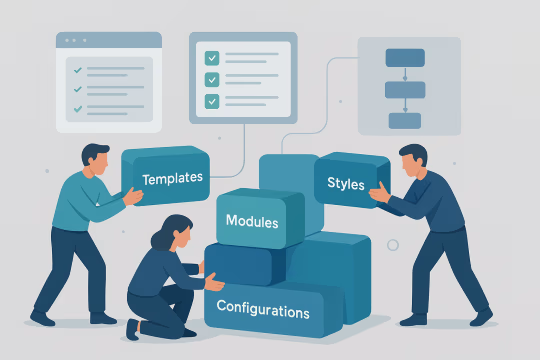
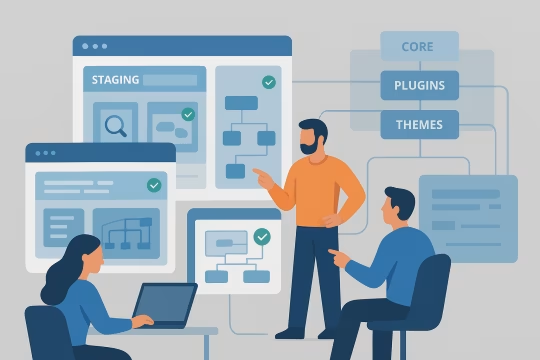
[03]We make targeted changes to templates, modules, styles, and configuration to improve stability and maintainability. Work is prioritized around recurring defects, fragile customizations, and high-impact editorial pain points.
 [04]
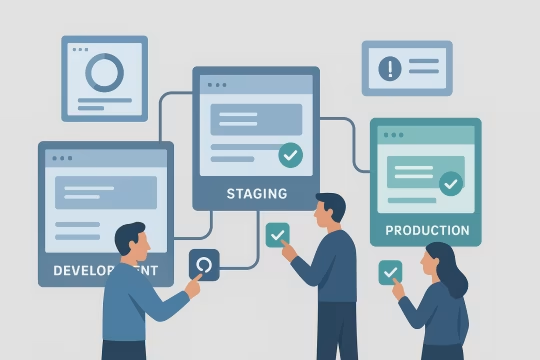
[04]Representative page types and editorial workflows are validated across staging environments before release. Testing covers rendering, responsive behavior, module functionality, and compatibility with current platform dependencies.
 [05]
[05]Changes are released through a controlled process with rollback awareness and environment-specific checks. This reduces the chance that maintenance work introduces new issues into production editing or publishing flows.
 [06]
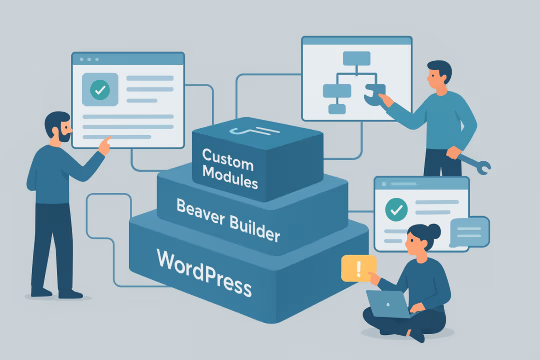
[06]Template rules, support boundaries, maintenance procedures, and known constraints are documented for internal teams. Clear documentation improves continuity and reduces reliance on undocumented platform knowledge.
 [07]
[07]Ongoing maintenance addresses updates, new defects, editorial friction, and structural refinements over time. This keeps the builder layer supportable while aligning it with broader WordPress platform evolution.
The primary value of this service is operational stability in a part of the platform that directly affects publishing speed and content quality. By reducing fragility in the page builder layer, organizations gain more predictable releases, lower support overhead, and a clearer path for future platform decisions.
Content teams experience a more stable editing environment with fewer broken layouts and unexpected module behavior. This reduces interruptions to publishing schedules and lowers the volume of reactive support requests.
Updates to WordPress core, plugins, and custom code can be validated against known builder dependencies before deployment. This makes releases more predictable and reduces the chance of widespread page regressions.
Reusable structures and governance rules reduce layout drift across campaigns, landing pages, and content templates. Consistency improves maintainability and makes future changes easier to implement safely.
Engineering teams spend less time diagnosing recurring builder issues caused by undocumented customizations or inconsistent usage patterns. Support becomes more systematic, with clearer ownership and fewer emergency fixes.
A cleaner page builder layer is easier to understand, test, and evolve over time. This supports long-term WordPress stewardship and reduces the operational cost of carrying legacy builder implementations.
When templates behave predictably, content teams can work within the platform without constant concern about breaking layouts. This improves day-to-day productivity and supports more reliable publishing operations.
Maintenance work exposes where Beaver Builder is still appropriate and where architectural changes may be needed later. That visibility helps teams plan modernization efforts based on evidence rather than assumptions.
WordPress page builder support
Review template governance, Themer behavior, custom modules, and frontend styling issues with a maintenance-focused assessment.
These questions address common architectural, operational, integration, governance, risk, and engagement considerations for maintaining Beaver Builder within enterprise WordPress platforms.
Beaver Builder maintenance should be treated as part of the overall WordPress platform architecture, not as an isolated content editing concern. In enterprise environments, page builders sit between editorial workflows, theme logic, plugin behavior, frontend rendering, and operational release processes. If that layer is maintained independently from the rest of the platform, issues tend to reappear because the underlying dependencies are not being managed together. A structured maintenance model looks at how templates are organized, how Beaver Themer interacts with content types and dynamic fields, how custom modules are implemented, and how styling is distributed across themes, builder settings, and custom CSS. It also considers update strategy, testing coverage, and support ownership. This architectural view is important because many page builder problems are not caused by Beaver Builder alone. They often emerge from interactions between plugins, theme overrides, legacy code, and inconsistent editorial usage. When maintenance is aligned with platform architecture, teams can define clearer boundaries for customization, reduce hidden dependencies, and make future modernization decisions with better evidence. That creates a more supportable WordPress environment overall.
A Beaver Builder implementation usually becomes difficult to maintain when flexibility has been allowed to grow without structural controls. Common signs include many one-off page layouts, duplicated modules, inconsistent use of global templates, undocumented CSS overrides, and custom code that depends on fragile assumptions about markup or plugin behavior. At that point, the builder layer stops functioning as a manageable system and starts behaving like a collection of exceptions. Architectural difficulty also increases when there is no clear separation between content concerns and structural concerns. Editors may be given too much control over layout-critical elements, while engineering teams inherit responsibility for fixing pages that were never designed to be supportable at scale. The same problem appears when Beaver Themer templates, theme files, and plugin-generated output overlap without clear precedence rules. This does not always require a rebuild, but it does require a maintenance strategy that identifies reusable patterns, removes unnecessary variation, and defines where customization should and should not occur. The earlier those controls are introduced, the easier the platform is to operate over time.
The most common operational issues are editor instability, layout inconsistencies, update-related regressions, and support bottlenecks between content and engineering teams. Editors may encounter modules that stop rendering correctly, saved layouts that behave differently across pages, or responsive issues that only appear after a plugin or theme update. These problems are especially common when the platform has grown through incremental changes rather than governed template design. Another frequent issue is unclear ownership. Content teams often assume the builder is a self-service tool, while engineering teams are pulled in whenever custom modules, CSS overrides, or Themer templates fail. Without documented maintenance procedures, even small defects can take longer to diagnose because the source of the issue may sit across multiple layers of the stack. Operationally, the most effective response is to create repeatable maintenance routines: update validation in staging, regression checks for representative page types, documented support boundaries, and a clear process for template changes. This turns maintenance from reactive troubleshooting into a controlled operational function that supports publishing reliability.
Stable page editing during updates depends on disciplined dependency management and representative testing. In practice, that means understanding which page types, templates, modules, and integrations are most sensitive to change, then validating them in a staging environment before production release. WordPress core updates, Beaver Builder releases, Beaver Themer changes, and third-party plugin updates should not be treated as isolated events because their interactions often cause the real problems. A reliable process usually includes maintaining a test inventory of critical templates, reusable modules, dynamic content views, and common editorial workflows. It also helps to document custom code dependencies, especially where PHP, JavaScript, or CSS has been added to alter builder behavior. When those dependencies are visible, teams can focus testing where regressions are most likely. Operational stability also improves when rollback planning is part of the release process. If an update affects editing or rendering unexpectedly, teams need a fast way to restore service while the issue is investigated. Maintenance is therefore not just about applying updates; it is about controlling the conditions under which updates are introduced.
Yes. In many WordPress platforms, Beaver Builder cannot be maintained properly without also reviewing Beaver Themer and the surrounding theme architecture. Beaver Themer often controls headers, footers, archive layouts, single content templates, and dynamic field rendering. Those templates may depend on custom post types, field plugins, theme hooks, and conditional logic that extend well beyond the page builder interface. Custom theme integrations are equally important because many builder issues originate in theme-level CSS, template overrides, or assumptions about markup structure. A page may appear to be a Beaver Builder problem when the root cause is actually a theme stylesheet conflict, a PHP template change, or a plugin injecting unexpected output into the render path. Maintenance therefore needs to account for the full integration surface. That includes checking template precedence, dynamic content mappings, responsive behavior, and compatibility between builder-generated markup and theme styling. Treating these areas together produces a more accurate diagnosis and a more durable maintenance outcome than focusing on the builder plugin alone.
Integrations with custom modules and third-party plugins are handled by first identifying where those dependencies affect editing, rendering, or template logic. Custom Beaver Builder modules may rely on specific PHP versions, JavaScript behavior, field structures, or CSS assumptions that no longer align with the current platform. Third-party plugins can also alter content output, inject scripts, or change admin behavior in ways that create indirect builder issues. A maintenance process typically starts with dependency mapping and issue classification. We look at which modules are business-critical, which plugins influence page output, and where unsupported or undocumented customizations create risk. From there, the work may include code review, compatibility testing, remediation of deprecated patterns, and isolation of conflicts between plugins and builder functionality. The goal is not simply to keep every integration unchanged forever. It is to determine which integrations remain supportable, which need refactoring, and which should be constrained or replaced. That approach helps organizations maintain continuity while reducing the long-term cost of carrying unstable dependencies.
Page builder sprawl is usually prevented through a combination of template governance, role boundaries, reusable patterns, and change control. Governance starts by defining which parts of a page are intended for editorial flexibility and which parts should remain structurally fixed. Without that distinction, teams often create many near-duplicate layouts that are difficult to support and nearly impossible to update consistently. Useful controls include approved template libraries, documented module usage rules, restrictions on layout-critical editing, and review processes for introducing new reusable patterns. In some cases, governance also means reducing the number of available modules or standardizing how global rows, saved templates, and Themer layouts are applied across content types. Governance should not be understood as limiting authors unnecessarily. Its purpose is to preserve a supportable system as the platform grows. When teams know which patterns are sanctioned and how changes are introduced, they can publish efficiently without creating hidden maintenance costs. Good governance reduces variation where it creates risk and preserves flexibility where it adds real editorial value.
Documentation should focus on operational clarity rather than exhaustive technical detail for its own sake. Teams need to know which templates exist, what each one is used for, who owns it, what dependencies it has, and what level of editorial modification is considered safe. That baseline documentation is often more valuable than large volumes of fragmented notes because it directly supports maintenance and release decisions. For Beaver Builder environments, useful documentation usually includes a template inventory, reusable module definitions, Beaver Themer mappings, custom code references, known constraints, and update validation procedures. It is also helpful to capture support boundaries, such as which issues content teams can resolve independently and which require engineering involvement. The most effective documentation is maintained alongside the platform rather than produced once and forgotten. It should be updated when templates change, modules are added, or support processes are revised. This creates continuity across teams and reduces the risk that critical platform knowledge remains locked in individual contributors rather than in a shared operational model.
The main risks are cumulative instability, rising support costs, and reduced confidence in the publishing platform. When Beaver Builder is left unmanaged, small inconsistencies in templates, modules, and styling tend to accumulate until the platform becomes difficult to update safely. What appears manageable at a page level can become a significant operational problem when multiplied across many campaigns, content types, and editorial teams. Another major risk is hidden dependency growth. Custom modules, CSS overrides, and plugin interactions may continue working for long periods without documentation, but they become increasingly fragile as WordPress, PHP, and surrounding plugins evolve. Eventually, a routine update can trigger failures that are hard to diagnose because the platform no longer has a clear architectural baseline. There is also a strategic risk. An unmanaged builder layer makes future modernization more expensive because teams first need to understand and stabilize what already exists. Maintenance reduces that risk by making the current state visible, supportable, and easier to evaluate. Even if a platform later moves away from Beaver Builder, disciplined maintenance creates a better starting point for that transition.
Not necessarily. In many cases, maintenance is what makes modernization possible in a controlled way. If the current Beaver Builder implementation is unstable, undocumented, or heavily customized, moving directly into modernization can introduce additional risk because teams are trying to redesign the platform without a reliable understanding of the existing system. Maintenance helps by clarifying what is still useful, what is fragile, and what should be retired. It can identify reusable content patterns, isolate unsupported customizations, and reduce immediate operational issues that would otherwise interfere with broader platform change. This creates a more stable baseline from which modernization options can be evaluated, whether that means improving the current WordPress architecture, reducing builder dependence, or moving toward a different editing model. The key is to treat maintenance as evidence-building rather than indefinite preservation. The work should improve current operations while also exposing architectural realities. That way, modernization decisions are based on actual platform conditions and business constraints, not assumptions about what the current implementation can support.
A typical engagement includes an initial review of the WordPress environment, a template and module audit, identification of stability and compatibility risks, and a prioritized maintenance plan. Depending on the platform, the work may also cover Beaver Themer templates, custom module support, CSS and frontend remediation, update validation, and documentation of support procedures. Some organizations need a focused stabilization phase because the builder layer is already causing operational disruption. Others need an ongoing maintenance model that supports regular updates, issue triage, and controlled template evolution. In both cases, the engagement should align technical work with the realities of editorial operations, release cycles, and internal ownership structures. The scope is usually shaped by the complexity of the implementation rather than by the plugin alone. A relatively simple site may only need compatibility and template governance support, while a larger enterprise platform may require broader architectural review and recurring maintenance coordination across multiple teams. The most effective engagements define clear priorities early and build from the highest-risk areas first.
Working effectively across content and engineering teams requires a shared operating model. Content teams usually experience the symptoms first: broken layouts, confusing editing controls, or inconsistent page behavior. Engineering teams, on the other hand, are responsible for diagnosing the underlying causes across themes, plugins, custom modules, and release processes. Maintenance works best when both perspectives are brought together rather than handled separately. In practice, this means gathering examples of editorial friction, mapping them to technical dependencies, and agreeing on support boundaries. Some issues can be resolved through better template design or governance, while others require code-level remediation or update process changes. Clear communication is important because not every editing problem is a user training issue, and not every technical issue should be solved by restricting editors further. A balanced engagement creates feedback loops between the teams. Content stakeholders help identify where workflows are breaking down, while engineering provides the structural changes needed to make those workflows reliable. That collaboration usually produces better long-term results than treating maintenance as either a pure support function or a purely technical exercise.
Collaboration typically begins with a focused discovery phase built around the current WordPress implementation and the most visible maintenance concerns. Teams usually start by identifying the pages, templates, modules, and editorial workflows that are causing the greatest operational friction. This may include recent update issues, recurring support tickets, unstable custom modules, inconsistent Themer behavior, or uncertainty about how the builder layer is structured. From there, the initial work usually combines stakeholder conversations with a technical review. Content teams explain where editing is unreliable or inefficient, while engineering and platform stakeholders provide context on themes, plugins, deployment practices, and known architectural constraints. The objective is to establish a shared picture of the current state rather than jump immediately into isolated fixes. Once that baseline is clear, priorities can be defined. Some organizations begin with a short stabilization effort focused on high-risk templates and update compatibility. Others move into a broader maintenance roadmap that includes governance, documentation, testing, and longer-term platform planning. The engagement is most effective when the first step creates clarity about both immediate issues and the structural conditions behind them.
These case studies are relevant because they show real delivery work around WordPress builder sprawl, template cleanup, and stronger editorial governance. They demonstrate how unstable or inconsistent builder-driven content was audited, standardized, and migrated into more supportable component-based patterns. After reading about Beaver Builder maintenance, these examples provide concrete proof of how builder reliability, content consistency, and long-term maintainability can be improved in practice.
UNCCD operated four separate websites (two WordPress, two Drupal), leading to inconsistencies in design, content management, and user experience. A unified, scalable solution was needed to support a large-scale CMS migration project and improve efficiency and usability.
The modernization effort resulted in a cohesive, user-friendly, and scalable website, improving content management efficiency and long-term digital sustainability.
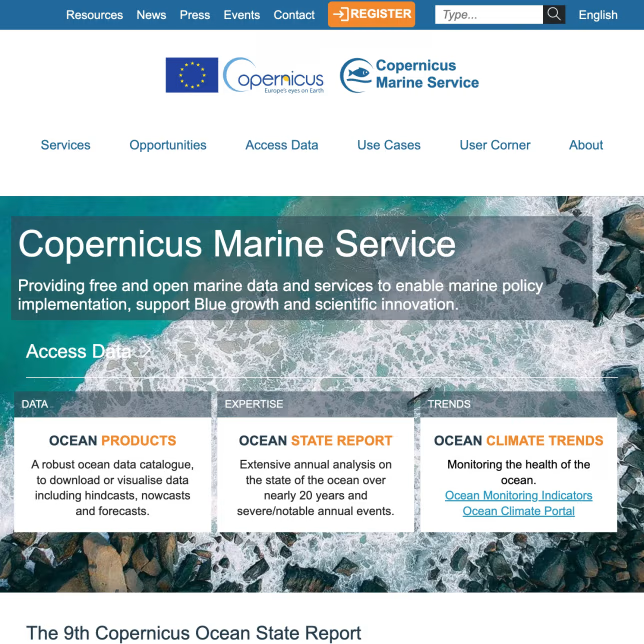
The existing marine data portal relied on three unaligned WordPress installations and embedded PHP code, creating inefficiencies and risks in content management and usability.
The new Drupal DXP streamlined content operations and improved accessibility, offering scientists and businesses a more efficient gateway to marine data services.
These articles expand on the operational and architectural concerns that shape sustainable Beaver Builder maintenance. They cover platform governance, update planning, template and content structure control, and the kinds of risks that emerge as WordPress environments grow more complex.
Let’s review your WordPress editing architecture, template stability, and maintenance risks to define a practical next step for reliable platform operations.