

 [01]
[01]Discovery
We review the current WordPress estate, SiteOrigin usage patterns, hosting context, and known operational issues. This establishes the technical baseline and identifies the most fragile areas of the implementation.
SiteOrigin maintenance
Identify layout risks, plugin conflicts, and legacy theme issues before routine WordPress changes break editing or frontend rendering.
Built for aging SiteOrigin estates with custom widgets, template overrides, and undocumented dependencies.
No login required. Takes 2–3 minutes.
Many organizations still operate WordPress sites built with SiteOrigin Page Builder because those platforms continue to support active publishing, campaign delivery, and business-critical content operations. In these environments, the immediate requirement is often not a full rebuild but dependable maintenance that keeps the site functional, secure, and manageable while broader platform decisions are evaluated.
This capability focuses on maintaining older implementations where page builder layouts, custom widgets, theme dependencies, and plugin interactions have accumulated over time. As WordPress core, PHP versions, browser behavior, and third-party plugins evolve, these sites become more fragile. Small changes can affect layout rendering, editor behavior, or frontend performance in ways that are difficult to predict without structured engineering oversight.
A maintenance approach provides controlled updates, compatibility analysis, defect remediation, and technical governance for legacy page-builder-based platforms. It helps teams preserve publishing continuity, reduce avoidable outages, and create a clearer path toward modernization when the organization is ready to move beyond its current implementation.
Core Focus
Best Fit For
Key Outcomes
Technology Ecosystem
Delivery Scope
As WordPress platforms age, SiteOrigin-based implementations often accumulate a mix of custom themes, outdated plugins, widget overrides, and editor-specific layout assumptions. What began as a flexible content management setup can become difficult to maintain when the original implementation patterns are no longer documented, the codebase has changed hands, and the surrounding WordPress ecosystem has moved forward.
These issues affect both engineering teams and content operations. Routine updates to WordPress core, PHP, or adjacent plugins can introduce regressions in page layouts, editing interfaces, responsive behavior, or frontend rendering. Teams may delay updates because they cannot reliably predict the impact, which increases exposure to security and compatibility problems. Content editors then work around unstable modules, inconsistent page structures, and brittle templates that slow publishing and increase support requests.
Over time, the platform becomes operationally expensive. Delivery teams spend effort on reactive fixes instead of planned improvements, technical debt grows around unsupported patterns, and modernization becomes harder because the current state is poorly understood. Without structured maintenance, even minor changes can create disproportionate disruption across the site.
Review the WordPress installation, active theme, SiteOrigin components, custom widgets, and plugin dependencies. Identify unsupported versions, fragile implementation areas, and known sources of layout or editor instability.
Classify issues by operational impact, update sensitivity, and business criticality. This creates a practical maintenance backlog that distinguishes urgent remediation from longer-term modernization concerns.
Assess WordPress core, PHP, plugin, browser, and theme compatibility across the current implementation. Focus on interactions that commonly affect builder rendering, content editing, and frontend behavior.
Resolve defects in templates, CSS, JavaScript, PHP logic, and custom SiteOrigin integrations. Changes are scoped to stabilize the existing platform without introducing unnecessary architectural churn.
Test representative page types, reusable layouts, editor workflows, and responsive breakpoints. The goal is to verify that maintenance work preserves publishing continuity and visual consistency.
Apply core, plugin, and environment updates in a managed sequence with rollback awareness. This reduces the risk of cascading failures across older page-builder-dependent implementations.
Document maintenance decisions, known constraints, and support procedures for internal teams. Governance helps future changes happen with clearer technical context and lower delivery risk.
This service addresses the engineering realities of maintaining older WordPress platforms that still depend on SiteOrigin Page Builder. The focus is on compatibility control, defect isolation, stable publishing workflows, and practical remediation of legacy implementation issues. It supports maintainability without forcing immediate replatforming, while creating the technical clarity needed for future modernization decisions.
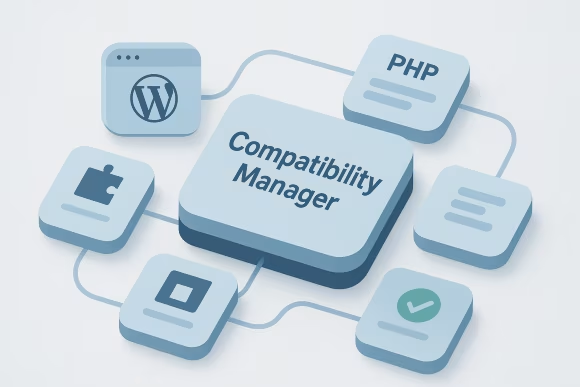
WordPress core, PHP versions, plugins, themes, and SiteOrigin components evolve at different speeds. This capability manages those moving parts through version analysis, dependency review, and targeted remediation so that updates can be planned with fewer unexpected regressions across editor and frontend experiences.

Many older implementations rely on tightly coupled themes with builder-specific templates and styling assumptions. Maintenance work addresses template drift, deprecated functions, and rendering inconsistencies while preserving the existing content model and minimizing disruption to active publishing operations.
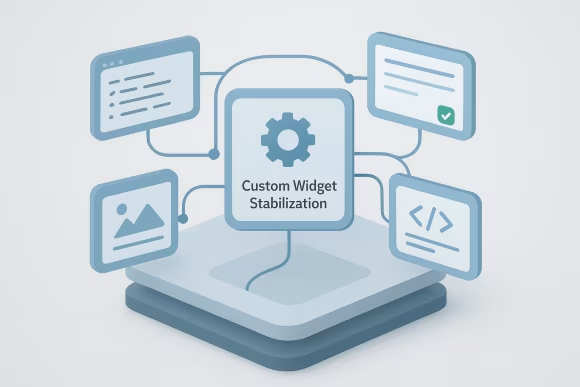
SiteOrigin installations often include custom widgets or modified modules that become fragile over time. This capability reviews widget code, field handling, markup output, and asset loading to restore predictable behavior and reduce failures caused by plugin or runtime changes.
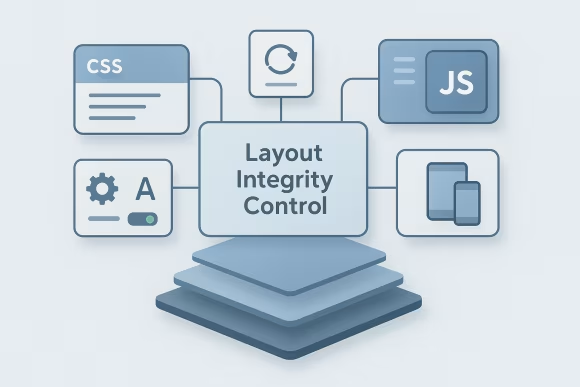
Page-builder-based sites can break when CSS, JavaScript, or theme updates alter spacing, responsive behavior, or content block rendering. Layout integrity work focuses on protecting key page structures, reusable rows, and editor-authored layouts across common templates and devices.

Older WordPress sites frequently depend on plugin combinations that were never designed for long-term coexistence. This capability isolates conflicts affecting admin workflows, asset loading, page rendering, and content editing, then applies mitigations that reduce instability without unnecessary rebuild work.

Effective maintenance requires more than code fixes. This capability introduces structured diagnostics, environment checks, issue tracking inputs, and repeatable support procedures so teams can investigate incidents, validate changes, and maintain continuity across ongoing platform operations.
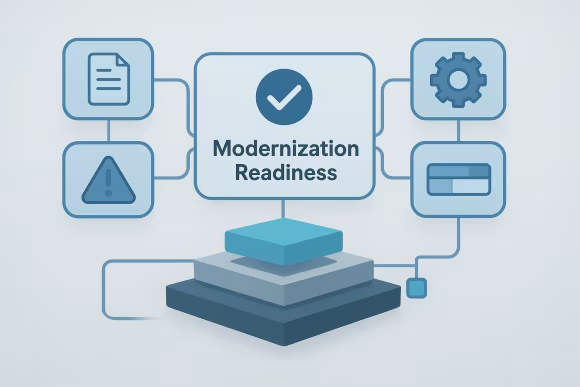
Maintenance should also improve future decision-making. By documenting dependencies, identifying brittle implementation patterns, and clarifying upgrade constraints, this capability creates a more reliable baseline for migration, redesign, or broader WordPress platform modernization initiatives.
Use the Health Check to surface compatibility gaps, unstable widgets, and maintenance blockers that slow releases and content operations.
Maintenance work is usually delivered as a structured engineering engagement that balances immediate platform stability with longer-term technical planning. The model supports both ongoing support arrangements and targeted remediation programs for legacy WordPress estates.
[01]We review the current WordPress estate, SiteOrigin usage patterns, hosting context, and known operational issues. This establishes the technical baseline and identifies the most fragile areas of the implementation.
 [02]
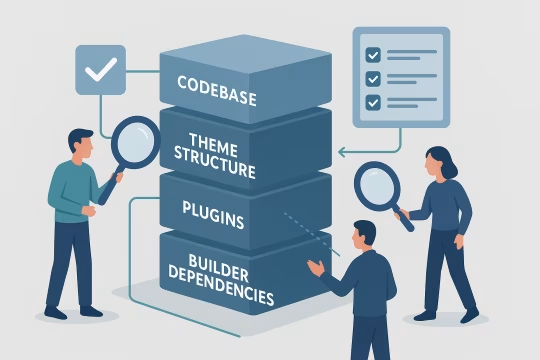
[02]The codebase, theme structure, plugins, and builder dependencies are assessed for compatibility and maintenance risk. Findings are prioritized based on business criticality, publishing impact, and upgrade sensitivity.
 [03]
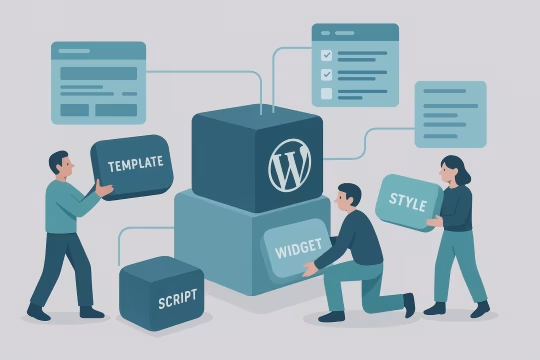
[03]Targeted fixes are applied to templates, widgets, styles, scripts, and configuration issues affecting stability. Work is scoped to reduce defects while preserving existing content operations and layout behavior.
 [04]
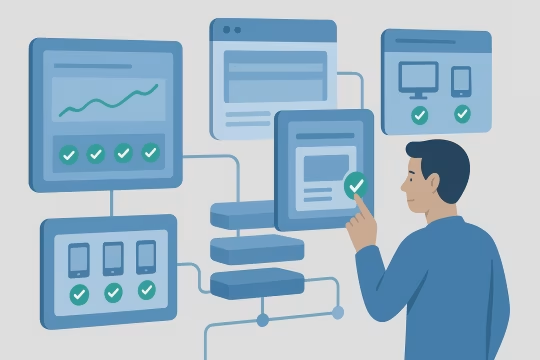
[04]Representative page types, editor workflows, and frontend rendering are validated across devices and environments. Regression testing focuses on the areas most likely to break during maintenance and update activity.
 [05]
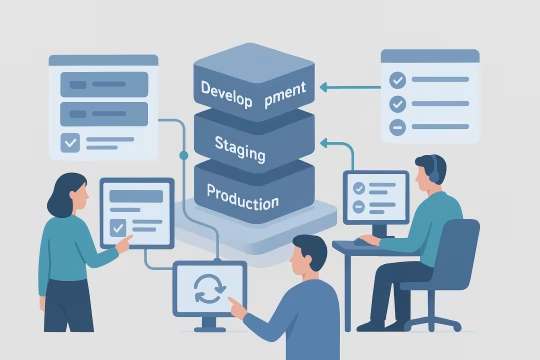
[05]Changes are released through a controlled process with environment checks and rollback awareness. This helps reduce operational disruption on older platforms with tightly coupled dependencies.
 [06]
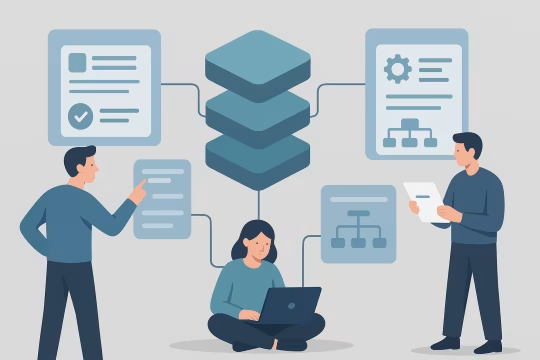
[06]Technical constraints, maintenance decisions, and recurring support patterns are documented for internal teams. Documentation improves continuity and reduces reliance on undocumented implementation knowledge.
 [07]
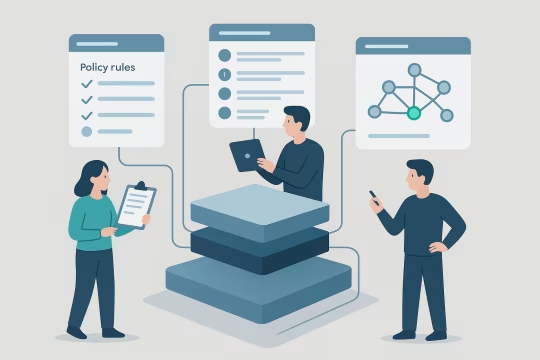
[07]Ongoing maintenance is guided by update policies, issue triage rules, and dependency monitoring. Governance helps teams make changes with clearer technical context and lower platform risk.
Well-structured maintenance reduces the operational cost of running older WordPress platforms and creates more predictable delivery conditions for teams that still depend on SiteOrigin-based publishing. The impact is primarily seen in stability, risk reduction, and improved planning.
Controlled maintenance reduces the likelihood that routine updates will break layouts, editor workflows, or critical templates. Teams can make necessary platform changes with better visibility into dependency-related risk.
Content teams depend on stable editing and rendering behavior to keep campaigns and site updates moving. Maintenance reduces avoidable disruptions that otherwise slow publishing and increase support overhead.
Legacy platforms may not be rebuilt immediately, but unmanaged debt compounds quickly. Structured remediation prevents known issues from spreading and limits the accumulation of fragile workarounds across the codebase.
Version changes become easier to plan when compatibility issues are understood and tested in advance. This improves release confidence and reduces the need for emergency rollback or reactive patching.
Engineering time is used more effectively when recurring defects and unstable dependencies are addressed systematically. Teams spend less effort on repeated troubleshooting and more on planned platform work.
Maintenance generates a more accurate view of the current implementation, including constraints, dependencies, and migration blockers. This makes future modernization or replatforming decisions more informed and less speculative.
Stabilizing themes, widgets, plugins, and layout behavior improves the reliability of the overall WordPress estate. A more stable platform supports day-to-day operations while reducing incident frequency.
Legacy WordPress support
Pinpoint the code, theme, and plugin issues creating regressions so your team can update with more confidence and less rework.
These questions cover architecture, operations, integration, governance, risk, and engagement considerations for maintaining older WordPress sites built with SiteOrigin Page Builder.
Maintenance is usually the right architectural choice when the existing WordPress platform still supports active business processes, the content model remains usable, and the immediate risk of change is higher than the value of a rushed rebuild. Many organizations have older SiteOrigin implementations that are imperfect but still operationally important. In those cases, the first priority is often to stabilize the current estate, understand its dependencies, and reduce the fragility that has built up over time. A rebuild becomes more appropriate when the current implementation blocks strategic requirements such as omnichannel delivery, modern editorial workflows, structured content reuse, or major design system adoption. Until those drivers are clearly defined and funded, maintenance can provide a controlled interim state. It keeps publishing operations running, reduces avoidable incidents, and creates the documentation needed to make future architecture decisions with better evidence. The key distinction is whether the platform is merely old or structurally incapable of supporting the organization’s next phase. Maintenance addresses age, drift, and instability. Rebuilds address fundamental architectural mismatch.
Architectural assessment starts with understanding how the site is actually assembled rather than how it was originally intended to work. That means reviewing the active theme, custom templates, SiteOrigin widgets, plugin dependencies, content editing patterns, and any environment-specific behavior. In older WordPress estates, the most important architectural issues are usually hidden in coupling between the page builder, theme logic, and plugin output. We typically examine where layout decisions live, how reusable content patterns are implemented, whether widgets are custom or modified, and how much the frontend depends on legacy CSS and JavaScript assumptions. We also look at update constraints, unsupported code paths, and the degree to which the platform can be tested safely before changes are released. The goal is not to produce abstract architecture documentation. It is to identify what is stable, what is brittle, what can be maintained with reasonable effort, and what should be isolated or replaced over time. That gives teams a practical map of the current platform rather than a theoretical one.
The most common operational issues are layout regressions after updates, inconsistent editor behavior, plugin conflicts, broken custom widgets, and frontend styling drift across templates or devices. These problems often appear intermittently because older WordPress sites contain overlapping dependencies that only fail under certain combinations of content, plugins, or runtime versions. Another frequent issue is update avoidance. Teams know the platform is fragile, so they postpone WordPress core, plugin, or PHP updates to avoid disruption. That creates a backlog of technical risk and makes future maintenance harder because multiple version gaps accumulate at once. Content teams then work around unstable modules, duplicated layouts, or pages that require manual correction after edits. Operationally, the challenge is not just fixing isolated bugs. It is creating enough structure around maintenance that changes become predictable again. That usually requires better issue classification, representative regression testing, and a clearer understanding of which parts of the implementation are safe to update and which require targeted remediation first.
Yes, if the engagement is structured around publishing continuity rather than broad code changes. Older SiteOrigin platforms often support active campaign, product, or editorial work, so maintenance has to respect the operational reality that content teams cannot pause their work for long engineering cycles. The practical approach is to assess critical templates and editing workflows first, then schedule remediation in controlled increments. This usually involves identifying high-traffic page types, business-critical landing pages, and the most commonly used builder patterns. Changes can then be tested against those patterns before release. Where possible, maintenance work is staged in lower environments and validated with representative content rather than relying only on code review. The objective is to reduce disruption, not simply to complete technical tasks. That means coordinating release windows, documenting known editor impacts, and avoiding unnecessary structural changes to the authoring experience unless they are required for stability or security.
SiteOrigin rarely operates in isolation on older WordPress sites. It usually sits within a broader implementation that includes SEO plugins, forms, analytics tags, multilingual tools, custom post types, theme frameworks, and bespoke PHP logic. Maintenance therefore has to account for the interaction between builder output and the rest of the WordPress stack, especially where plugins inject markup, scripts, styles, or admin behavior. A common source of instability is that plugins evolve independently from the theme and builder configuration. A plugin update may change asset loading, field behavior, shortcode output, or editor integration in ways that affect SiteOrigin rows and widgets. Custom code can amplify this if it relies on deprecated hooks or assumptions about markup structure. Effective maintenance includes dependency review, conflict isolation, and testing of the integrations that matter most to business operations. The aim is to preserve the behavior the organization depends on while reducing hidden coupling that makes future updates risky.
Yes, within the limits of the existing architecture. Many organizations need older WordPress platforms to support newer analytics, consent, performance, or frontend requirements even if the site still uses SiteOrigin for page composition. Maintenance can help by clarifying where scripts are loaded, how templates render content, and which parts of the stack can be updated safely to support newer operational needs. For analytics and tracking, this may involve reviewing tag placement, event dependencies, data layer consistency, and the effect of builder-generated markup on measurement. For frontend requirements, it may involve stabilizing CSS behavior, reducing conflicting assets, or improving how templates expose content and metadata. What maintenance cannot do is turn a legacy page-builder implementation into a fully modern application architecture without broader change. It can, however, create a more stable and understandable baseline that supports incremental integration improvements while longer-term platform decisions are being planned.
Long-term maintenance requires governance around updates, ownership, testing scope, and acceptable change risk. Older WordPress platforms often become unstable because no one is clearly responsible for dependency review, release sequencing, or documenting how custom builder behavior works. Governance addresses that by defining who approves changes, how issues are prioritized, and what must be validated before deployment. A useful governance model usually includes a maintenance backlog, version policy, environment strategy, and a documented list of critical templates and editor workflows. It should also identify unsupported patterns, such as one-off widget customizations or direct production edits, that increase operational fragility over time. The purpose of governance is not bureaucracy. It is to create enough structure that the platform can be maintained consistently even when team members change or urgent requests arise. On legacy systems, that consistency is often the difference between manageable technical debt and recurring operational instability.
Poor documentation is common on older SiteOrigin websites, especially when multiple agencies or internal teams have modified the platform over several years. In those cases, documentation has to be rebuilt from the current implementation rather than reconstructed from assumptions. The most useful approach is to document what is active, what is custom, what is fragile, and what is business critical. That typically includes theme structure, custom widgets, plugin dependencies, reusable page patterns, environment differences, and known update constraints. It is also important to record where content teams rely on specific builder behaviors so maintenance work does not unintentionally disrupt publishing. Documentation should be concise enough to stay usable but detailed enough to support future troubleshooting and planning. The goal is operational clarity, not exhaustive technical archaeology. Good maintenance documentation helps teams understand the present state of the platform and make safer decisions about updates, support, and eventual modernization.
The main risks are cumulative rather than immediate, which is why unmanaged legacy platforms often remain in service longer than they should. Over time, deferred updates increase exposure to security issues, plugin incompatibilities, and PHP or hosting constraints. At the same time, undocumented customizations make the site harder to change safely, so even minor fixes can become high-risk activities. Operationally, unmanaged platforms tend to produce recurring layout defects, unstable editor experiences, and emergency troubleshooting during routine updates. Teams start avoiding change because they cannot predict the outcome, which further increases technical debt. This creates a cycle where the platform becomes both harder to maintain and more critical to keep running. The strategic risk is that modernization becomes more expensive because the current state is poorly understood. Without maintenance, organizations lose the opportunity to stabilize the platform while building the knowledge needed for a controlled migration or redesign later.
Risk reduction starts with acknowledging that not all updates are equal. On fragile SiteOrigin-based platforms, the impact of a WordPress core, plugin, theme, or PHP update depends on how tightly those elements are coupled in the current implementation. The first step is therefore to identify critical dependencies and classify which updates are low risk, which require testing, and which need remediation before they can be applied safely. Representative regression testing is essential. Rather than testing only generic functionality, maintenance should validate the page types, widgets, templates, and editor workflows that the organization actually depends on. This is especially important where custom widgets or legacy CSS patterns are involved. Controlled release sequencing also matters. Applying changes in a managed order, with environment validation and rollback awareness, reduces the chance that multiple issues will be introduced at once. The objective is not to eliminate all risk, but to make change behavior understandable and manageable.
A typical engagement includes an initial platform review, issue and dependency assessment, prioritized remediation, regression testing, controlled update support, and documentation of key technical constraints. The exact scope depends on whether the organization needs ongoing support for an active legacy site or a shorter stabilization effort before migration or redesign. In many cases, the first phase focuses on understanding the current implementation: WordPress versioning, SiteOrigin usage patterns, custom widgets, theme dependencies, plugin interactions, and known operational pain points. From there, maintenance work is prioritized according to business impact. Critical publishing issues, update blockers, and recurring defects are usually addressed first. Some engagements continue as a retained maintenance model with periodic reviews and release support. Others are time-boxed to stabilize the site, reduce immediate risk, and prepare for a broader modernization program. The common factor is structured engineering attention to a platform that can no longer be managed safely through ad hoc fixes alone.
Collaboration works best when internal stakeholders are involved early across engineering, content operations, and product ownership. Legacy SiteOrigin platforms often sit at the intersection of technical maintenance and day-to-day publishing, so handover cannot be treated as a purely developer-to-developer exercise. Internal teams need visibility into what is changing, what remains constrained, and how support decisions are being made. A practical model usually includes shared issue triage, access to findings from the platform assessment, and agreement on critical templates or workflows that must be protected during maintenance. Internal teams can then validate business-critical behavior while engineering work proceeds in a controlled way. Documentation and release notes are important because they reduce dependency on informal knowledge. Handover is strongest when it includes not just code changes, but also a clearer operating model for future maintenance. That means internal teams understand update risks, known technical debt areas, and the recommended next steps for either continued support or modernization.
Collaboration typically begins with a structured review of the current WordPress platform, the SiteOrigin implementation, and the operational issues the organization is experiencing. This first step is usually not a broad redesign discussion. It is a technical assessment intended to establish what is running today, where the main risks are, and which parts of the site are most important to protect. The initial phase often includes access review, environment analysis, plugin and theme inventory, identification of custom widgets or templates, and a walkthrough of critical publishing workflows with internal stakeholders. If there are known incidents, recurring defects, or blocked updates, those are used to prioritize the first remediation tasks. This helps convert a vague maintenance problem into a concrete engineering backlog. From there, the work usually moves into a scoped stabilization plan. That may involve immediate fixes, compatibility testing, documentation, and a recommendation for ongoing maintenance or modernization planning. Starting this way gives both sides a shared technical understanding before larger decisions are made.
These case studies are relevant because they show real delivery work around legacy CMS maintenance, builder-content cleanup, compatibility risk reduction, and controlled modernization planning. They demonstrate how fragile older publishing environments were stabilized through remediation, governance, and safer component-based replacements instead of immediate full rebuilds. Together, they provide practical proof of handling aging content platforms while preserving editorial continuity and preparing for longer-term platform evolution.
UNCCD operated four separate websites (two WordPress, two Drupal), leading to inconsistencies in design, content management, and user experience. A unified, scalable solution was needed to support a large-scale CMS migration project and improve efficiency and usability.
The modernization effort resulted in a cohesive, user-friendly, and scalable website, improving content management efficiency and long-term digital sustainability.
The existing marine data portal relied on three unaligned WordPress installations and embedded PHP code, creating inefficiencies and risks in content management and usability.
The new Drupal DXP streamlined content operations and improved accessibility, offering scientists and businesses a more efficient gateway to marine data services.
These articles add context for teams maintaining older WordPress platforms with SiteOrigin Page Builder. They cover the operational signals, update planning, plugin governance, and runtime visibility that help keep legacy sites stable while reducing risk during change. Together they provide a practical view of how to manage compatibility, technical debt, and day-to-day platform health.
Review the technical condition of your SiteOrigin-based platform, identify the highest-risk dependencies, and define a practical maintenance or modernization path.