In headless CMS programs, preview is often treated as a secondary concern. Teams focus first on content models, APIs, component libraries, and deployment pipelines. Those are all important. But when preview is weak, the day-to-day editorial experience starts to break down quickly.
Editors lose confidence when they cannot reliably answer simple questions before publishing: Is this the right version? Does this layout hold together? Are personalization rules, references, and navigation behaving as expected? Will the live page look the same as what I reviewed?
That uncertainty slows publishing and creates friction between content, product, and frontend teams. In enterprise environments, it can also increase governance risk, because people begin approving content without seeing a trustworthy representation of the final experience.
A strong headless preview architecture is therefore not a nice-to-have. It is a platform capability that supports quality control, publishing confidence, and operational clarity.
Why preview is a platform requirement in headless delivery
Traditional CMS platforms often bundled authoring and rendering into a single environment. Editors changed content and immediately saw it in context. Headless delivery breaks that coupling by design. Content lives in one system, frontend applications in another, and delivery paths may span multiple environments, caches, APIs, and deployment stages.
That separation creates flexibility, but it also removes assumptions that editorial teams used to rely on.
Preview in a headless model has to bridge several gaps:
- the gap between draft content and published content
- the gap between CMS state and frontend rendering state
- the gap between protected internal review and public delivery
- the gap between editorial intent and technical implementation
When that bridge is weak, common symptoms appear:
- editors use screenshots or staging links as substitutes for real preview
- content approvals depend on developers validating pages manually
- draft content cannot be reviewed in full page context
- component regressions are discovered only after publish
- teams become hesitant to move quickly because the review path feels unreliable
These are not just usability issues. They indicate that preview has not been designed as part of the platform architecture.
A mature headless CMS preview approach helps teams answer a basic operational requirement: Can the right people see the right draft content, in the right context, at the right time, without exposing it publicly or degrading the delivery system?
Where preview breaks in real implementations
Preview usually fails for understandable reasons. Many programs reach production with a functional publishing stack, but preview remains a patchwork of CMS features, frontend workarounds, and environment-specific exceptions.
Several failure patterns are especially common.
Preview depends on one framework trick
Some teams reduce preview to a single framework feature such as draft mode, preview cookies, or a route bypass. Those tools can be useful, but they are only one layer of the solution.
If preview is defined too narrowly, the system may still fail when:
- content references resolve differently in draft state
- search, navigation, or listing pages mix draft and published data inconsistently
- server-side caching serves stale content to preview users
- protected assets or API calls do not work in non-public contexts
The result is a preview path that looks complete in demos but does not support real editorial QA.
Preview only works for single-page rendering
A lot of implementations support previewing one content entry at a time. That may be enough for simple landing pages, but enterprise publishing flows often require editors to validate broader context:
- how a page appears in a content hub or article listing n- whether related content modules resolve properly
- whether taxonomy or campaign rules affect page placement
- whether navigation, breadcrumbs, or cross-links update as expected
If preview can only show isolated entries, it does not reflect the actual user experience.
Preview is tied to unstable staging environments
Staging is not the same thing as preview. A staging environment may be useful for release validation, but editorial review often needs more precision.
If preview always depends on a shared staging deployment, teams can run into conflicts:
- one team is reviewing draft content while another team is testing unrelated frontend changes
- environment data is out of sync with production integrations
- release timing determines whether editors can review their content at all
- staging becomes overloaded with responsibilities it was not designed to handle
A good preview environment strategy separates editorial review needs from broader release management concerns.
Access control is too loose or too restrictive
Preview links that are easy to share publicly create governance risk. But overly restrictive flows also create friction if every review requires technical support, VPN setup, or manual token handling.
Preview architecture has to support controlled access that still feels usable to editors, reviewers, and stakeholders.
Draft content, authentication, and environment boundaries
At the center of draft content rendering is a simple but important rule: preview should intentionally render a different content state than public delivery.
That sounds obvious, yet many implementations blur the boundary.
A durable approach usually starts with three decisions.
1. Define draft state explicitly
The frontend must know when to request draft or unpublished content instead of published content. That decision may be triggered by:
- a secure preview link generated from the CMS
- a protected route that sets a preview session or cookie
- a reviewer authentication flow that grants temporary access to draft-aware pages
What matters is not the exact mechanism. What matters is that draft state is explicit, auditable, and scoped correctly.
If draft state is implied indirectly, teams often end up with inconsistent behavior across routes and services.
2. Separate preview access from public access
Protected preview URLs are a common pattern because they let the system switch the user into a draft-capable session without exposing unpublished content broadly.
In practice, that often means:
- validating a signed token or short-lived secret in the preview URL
- establishing a temporary authenticated preview session
- routing subsequent requests through draft-aware data fetching logic
- preventing indexing of preview paths or parameterized URLs
This is especially important in enterprise settings, where reviewers may include internal stakeholders, legal teams, regional approvers, or external partners.
The access model should be secure enough to protect unpublished material but simple enough to support normal review cycles.
3. Distinguish environment boundaries clearly
Preview architecture often gets tangled because teams blur the purpose of different environments. It helps to define them clearly:
- authoring environment: where content is created and managed
- preview capability: the mechanism for viewing draft content in rendered context
- staging environment: a release-validation environment for broader application testing
- production environment: public delivery of published content only
These may overlap in implementation, but they should not be treated as interchangeable concepts.
For example, preview can be routed through production-grade frontend infrastructure while still rendering draft content only for authenticated users. In other cases, a dedicated preview deployment may be more appropriate. The right choice depends on governance, scale, integration complexity, and release practices.
The important point is that editorial workflow in headless CMS should not depend on accidental environment behavior.
Caching and invalidation considerations for preview paths
Caching is where many preview solutions become unreliable.
Headless delivery stacks often use multiple cache layers: CDN caches, application-level caches, static generation outputs, API caches, edge logic, and browser caches. That is good for performance, but it can be dangerous when draft and published traffic are not separated carefully.
A preview user should not be shown stale published content and assume the draft failed to save. Just as importantly, public users should never receive draft content because a cache key was not scoped properly.
A sound preview design typically addresses several concerns.
Cache bypass or cache segmentation
Preview traffic often needs one of two treatments:
- bypass shared caches entirely for draft-aware requests, or
- segment cache keys so preview responses are isolated from public responses
Which approach works best depends on scale and performance requirements. Bypass is simpler conceptually, but it can increase origin load. Segmentation is more efficient, but it requires discipline in cache key design and request handling.
Either way, preview and public delivery should never share cache assumptions casually.
Consistent invalidation rules
Draft changes can happen frequently, and editors expect preview to update quickly. If one layer revalidates while another continues serving old data, trust breaks down.
Teams should document how preview refresh works across:
- page responses
- component-level data dependencies
- asset references
- linked entries and nested content
- search or listing queries
This matters especially for complex pages where the visible result depends on more than one content item.
Static delivery tradeoffs
Modern frontend stacks often lean on static generation or incremental rebuild strategies. Those patterns are valuable, but preview complicates them.
If the public site is primarily static, preview usually requires a separate dynamic path for draft-aware rendering. That path may involve server-side rendering, edge execution, or an application route that can fetch unpublished content directly.
The architectural mistake is assuming that a static-first delivery model automatically provides an acceptable preview path. In many cases, it does not. Teams working through these tradeoffs often need a clearer static generation architecture so preview behavior is designed alongside build and delivery patterns.
Protecting private data during preview
Preview can sometimes surface content that is legally sensitive, commercially confidential, or simply unfinished. That means logging, analytics, error tracking, and monitoring setups should also be reviewed.
For example, teams may want to limit:
- exposure of draft identifiers in public logs
- indexing of preview URLs by crawlers
- inclusion of preview parameters in analytics systems
- leakage of API tokens through client-side requests
Preview is not only about rendering. It is also about handling sensitive draft state responsibly.
Editorial QA workflows across content and frontend teams
Strong headless publishing workflow design does not stop at routing draft content to a page. It also defines how people use preview during review and approval.
This is where many enterprise programs either become smooth and scalable or remain dependent on informal coordination.
A preview-ready workflow should support the questions each team actually needs to answer.
What editors need
Editors typically need confidence that:
- content appears correctly in page context
- rich content, embeds, and references resolve properly
- layout and spacing are still coherent after changes
- regional or localized variants are visible in the right context
- scheduled or staged content can be reviewed before go-live
If preview only validates raw fields, it does not meet editorial needs.
What product owners and reviewers need
Non-technical stakeholders often need simple review paths:
- a secure link they can access without special tooling
- a predictable view of the in-progress experience
- clarity about whether they are reviewing draft or published state
- confidence that feedback maps to a specific version or review window
This is one reason preview state labeling matters. Reviewers should never be left guessing what they are looking at.
What frontend teams need
Frontend leads and engineers need preview to behave as a realistic rendering path, not a one-off exception. That means understanding:
- which APIs are called in preview mode
- how draft and published states affect component behavior
- what happens when content references are incomplete
- how preview sessions interact with personalization, feature flags, and environment configuration
When engineering teams treat preview as a special-case shortcut, defects often appear during publish because the path was never tested as a first-class mode of operation. That is usually a sign that the frontend architecture has not accounted for preview as a supported runtime mode.
Shared operational agreements
The most effective teams define a shared contract between content and engineering. That contract often includes:
- who owns preview link generation and access support
- what content states are previewable
- which page types support full contextual preview
- what latency editors should expect after a content change
- when staging should be used instead of preview
- how defects are triaged when preview differs from production behavior
This is often more valuable than adding another layer of tooling. Clear expectations reduce confusion and improve trust.
Decision checklist for preview-ready architecture
When evaluating or redesigning headless preview architecture, it helps to use a checklist that is architectural rather than tool-specific.
Content state
- Can the frontend reliably request draft content when appropriate?
- Are linked entries, nested modules, and listings draft-aware where needed?
- Is the distinction between draft, staged, and published states clear?
Access and security
- Are preview URLs protected with signed or short-lived access patterns?
- Is preview access limited to authorized reviewers?
- Are preview pages blocked from indexing and accidental public discovery?
- Are API tokens handled server-side where possible?
Environment strategy
- Is preview independent enough from staging to support normal editorial work?
- Are environment purposes clearly defined for content teams and engineers?
- Can preview operate against production-like rendering without exposing draft content publicly?
Cache behavior
- Are draft and public responses isolated in cache design?
- Is preview freshness predictable after content edits?
- Have all cache layers been mapped, including CDN, application, and browser behavior?
Workflow support
- Can editors review content in realistic page context, not just as isolated entries?
- Can non-technical reviewers access preview easily and safely?
- Is there a documented handoff between editorial QA and frontend QA?
- Are preview limitations transparent rather than hidden?
Operational resilience
- Is preview monitored as an important platform capability?
- Can teams diagnose when preview and production diverge?
- Are there fallback review paths for high-risk or time-sensitive publishing events?
A solution does not need to be perfect in every category on day one. But if several of these answers are unclear, preview is likely under-architected.
Final perspective
Preview is one of the clearest places where headless architecture meets real editorial operations.
A team can have an elegant content model, a high-performing frontend, and a modern deployment stack, but still create day-to-day publishing anxiety if preview is unreliable. That anxiety shows up as extra approvals, manual checks, slower release cycles, and reduced trust between teams.
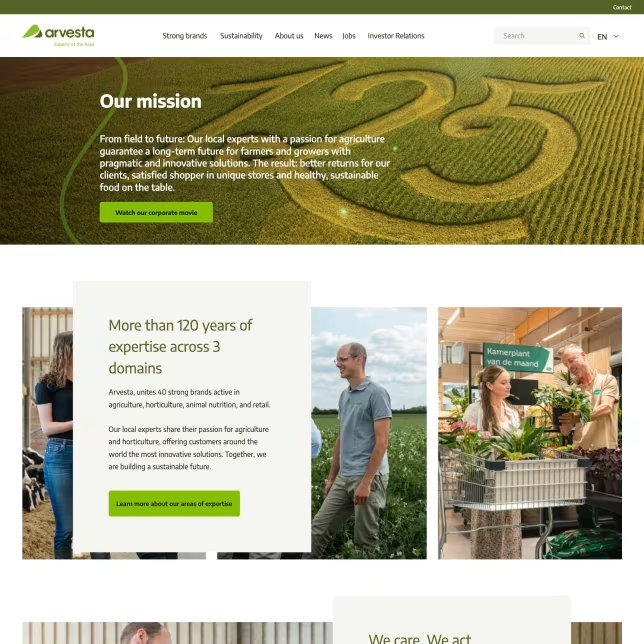
By contrast, a well-designed preview capability improves more than the editor experience. It strengthens governance, reduces preventable publishing errors, and creates a more stable handoff between content operations and frontend delivery. Projects such as Arvesta show how structured editorial workflows and component governance help reduce that kind of delivery friction in practice.
That is why preview should be framed as a platform concern from the start. Not a minor enhancement. Not a framework trick. And not something to retrofit only after editorial confidence has already started to decline.
In headless delivery, confidence depends on visibility. Preview is the architecture that provides it.
Tags: Headless, Headless CMS, Preview Architecture, Editorial Workflow, Frontend Engineering, Digital Experience