


 [01]
[01]Discovery and Audit
Inventory plugins, dependencies, and hook usage across environments. Identify coupling, duplicated libraries, security exposure, and operational bottlenecks that affect upgrades and release reliability.
WordPress plugin architecture
Assess plugin boundaries, hook contracts, loading order, and shared dependencies before fragile architecture slows releases.
Built for teams managing complex plugin stacks, MU-plugins, and Composer-based workflows.
No login required. Takes 2–3 minutes.
WordPress plugin architecture defines how custom functionality is decomposed, packaged, versioned, and integrated into a WordPress platform. For Enterprise WordPress extensibility, plugins are not just feature add-ons; they become a primary mechanism for domain logic, integrations, and cross-site capabilities. Without clear architectural boundaries, plugin code tends to accumulate hidden coupling to themes, core hooks, and other plugins, making upgrades and incident response unpredictable.
This service establishes a structured plugin model aligned with WordPress Plugin API design: clear extension points, dependency rules, and integration patterns. We define how plugins are loaded, how configuration is managed across environments, and how shared libraries are handled using Composer-managed WordPress plugins with PHP autoloading. The result is a platform where teams can add and evolve capabilities while maintaining compatibility, security posture, and operational control as the ecosystem grows.
Core Focus
Best Fit For
Key Outcomes
Technology Ecosystem
Delivery Scope
As WordPress platforms scale, plugin code often becomes the default place to implement business logic, integrations, and cross-cutting concerns. Over time, teams add plugins with inconsistent structure, ad-hoc loading order assumptions, and undocumented dependencies on other plugins, themes, or specific WordPress core behaviors. The platform may still function, but the true architecture becomes implicit and fragile.
This fragility shows up during upgrades and incident response. A minor core update or a third-party plugin change can break critical flows because multiple plugins hook into the same actions and filters without clear ownership or compatibility guarantees. Engineering teams spend time tracing side effects across hooks, global state, and shared options. Without a consistent dependency strategy, shared libraries are duplicated across plugins, increasing security exposure and making patching slow.
Operationally, releases become risky and slow. CI/CD pipelines struggle to validate compatibility across plugin combinations, and environments drift due to manual plugin management. The result is higher regression rates, longer lead times for changes, and a platform that is difficult to evolve without accumulating further technical debt.
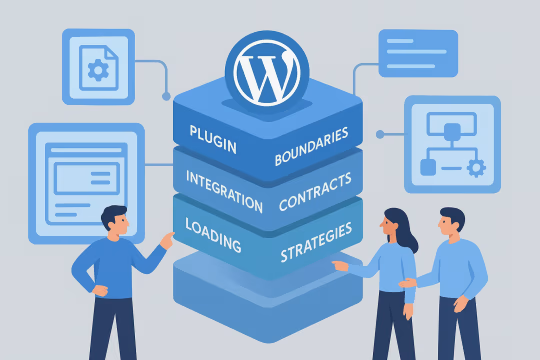
Review the current plugin landscape, including custom, third-party, and MU-plugins. Map responsibilities, hook usage, shared libraries, configuration sources, and deployment workflows to identify coupling, risk hotspots, and upgrade constraints.
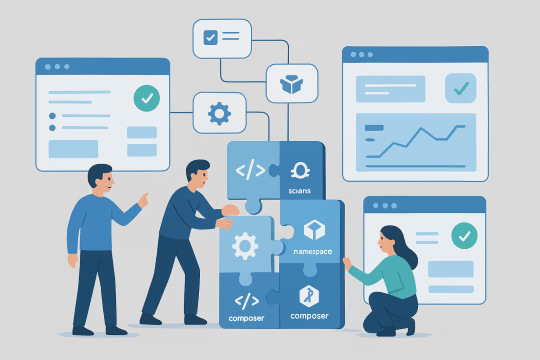
Define target plugin boundaries, naming conventions, and integration contracts. Specify loading strategy, configuration patterns, and how shared services are exposed, with clear rules for what belongs in plugins versus themes or core customizations.
Establish Composer-based dependency management, autoloading, and versioning rules. Define how shared libraries are packaged, how conflicts are avoided, and how plugin-to-plugin dependencies are declared and validated.
Build a reference plugin (or set of plugins) that demonstrates the agreed architecture: service registration, hook orchestration, configuration, and error handling. Use it as a template for refactoring existing plugins and onboarding new work.
Standardize integration patterns for external systems and internal APIs, including retries, timeouts, and failure modes. Introduce observability hooks and structured logging so plugin behavior can be traced across requests and jobs.
Implement automated checks for coding standards, static analysis, and integration tests around critical hooks and extension points. Add CI/CD and compatibility testing for WordPress plugins across supported WordPress versions and key plugin combinations to reduce upgrade uncertainty.
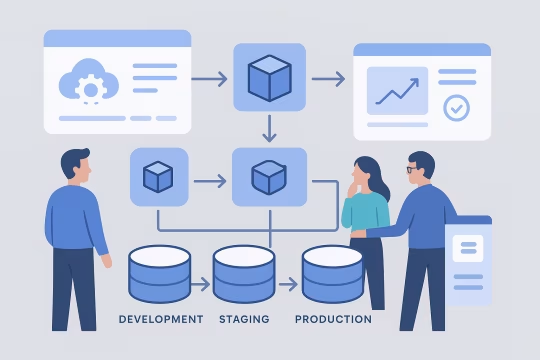
Define packaging and deployment workflows for plugins across environments, including artifact versioning and rollback strategy. Align the plugin release model with CI/CD pipelines and environment promotion rules.
Document standards, review gates, and ownership boundaries for plugins. Establish enterprise WordPress plugin lifecycle management policies for deprecation, security patching, and upgrade windows, ensuring the architecture remains consistent as teams and requirements change.
This service focuses on the technical foundations required to run WordPress as a governed, extensible platform. We design plugin boundaries, WordPress Plugin API design contracts, and Composer-managed WordPress plugins with explicit dependency management so custom functionality can evolve without destabilizing core behavior. The approach emphasizes predictable loading, explicit interfaces, and testable extension points to support upgrades, security maintenance, and multi-team delivery.
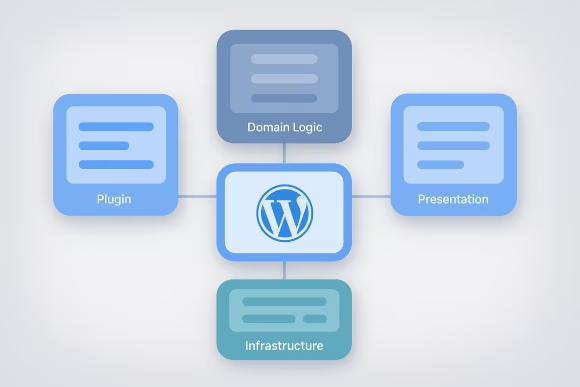
Define clear responsibilities for each plugin and enforce separation of concerns between domain logic, presentation, and infrastructure. Establish conventions for file structure, namespaces, and service registration so code is discoverable and refactoring does not cascade across the platform.

Standardize how plugins expose and consume actions, filters, and APIs. Introduce explicit contracts for hook payloads, priorities, and expected side effects, reducing accidental coupling and making it feasible to test and evolve extension points over time.
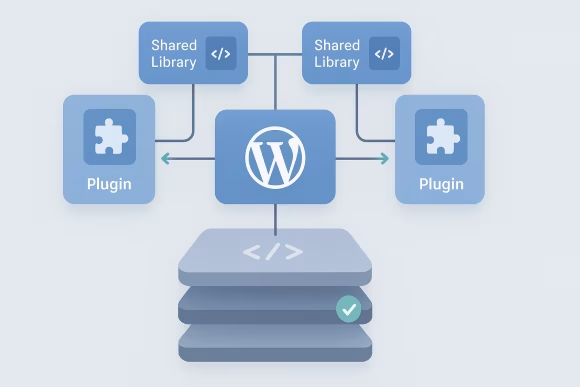
Implement Composer-managed WordPress plugins and shared libraries using Composer-based dependency management. Define version constraints, autoloading rules, and conflict resolution patterns so plugins can share code safely without duplication or unpredictable runtime behavior.
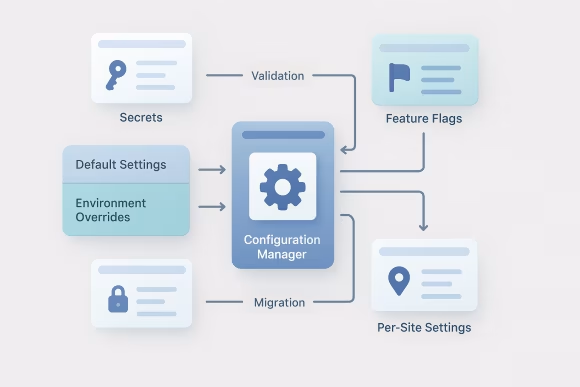
Design how plugins read configuration across environments, including secrets, feature flags, and per-site settings. Establish patterns for defaults, validation, and safe migrations so configuration changes are traceable and do not require manual production edits.

Define when to use MU-plugins versus standard plugins, and how loading order is controlled. Reduce reliance on implicit initialization by introducing deterministic bootstrapping, dependency checks, and guardrails for required platform capabilities.

Create consistent patterns for external integrations such as REST APIs, webhooks, and background processing. Specify error handling, retries, idempotency, and timeouts so integrations remain reliable under partial failures and operational constraints.

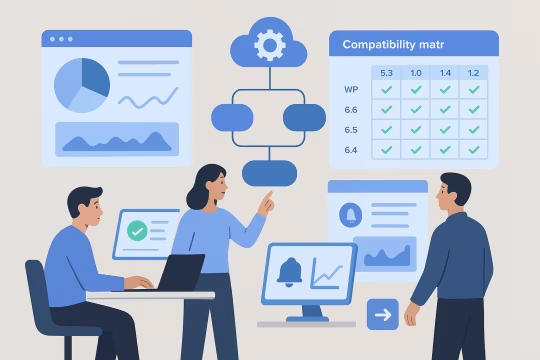
Introduce compatibility matrices, deprecation policies, and automated checks aligned to supported WordPress core versions and key third-party plugins. Reduce upgrade risk by making plugin behavior verifiable and by isolating breaking changes behind controlled interfaces.
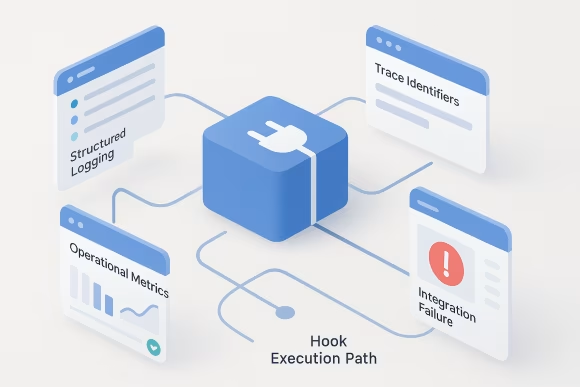
Add structured logging, trace identifiers, and operational metrics around critical plugin flows. Enable faster incident triage by making hook execution paths, integration failures, and configuration issues observable without relying on ad-hoc debugging in production.
Review how plugins interact, where dependencies are duplicated, and which extension patterns increase upgrade instability.
Engagements follow a clear engineering sequence from discovery and audit through target architecture, reference implementation, and rollout. We align WordPress Plugin API design decisions, Composer-managed WordPress plugins, and governance with CI/CD and compatibility testing for WordPress plugins so standards can be adopted incrementally and sustained over time.
[01]Inventory plugins, dependencies, and hook usage across environments. Identify coupling, duplicated libraries, security exposure, and operational bottlenecks that affect upgrades and release reliability.
 [02]
[02]Define plugin boundaries, integration contracts, and loading strategy. Produce a pragmatic blueprint that fits existing constraints while creating a clear path to standardization and modularization.
 [03]
[03]Establish coding standards, namespaces, Composer conventions, and repository structure. Add baseline automation for linting, static analysis, and dependency checks aligned with the target architecture.
 [04]
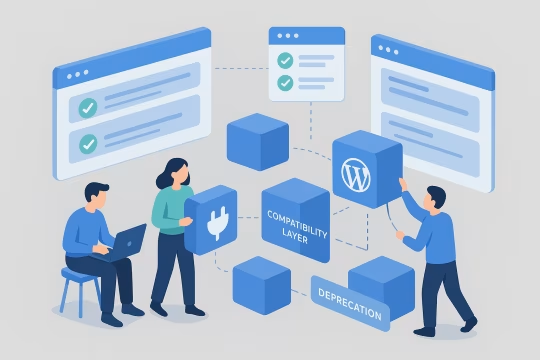
[04]Implement a reference plugin (or plugin set) demonstrating bootstrapping, configuration, and extension points. Use it to validate architectural assumptions and provide a reusable template for future work.
 [05]
[05]Incrementally refactor high-risk or high-change plugins into the new model. Introduce compatibility layers and deprecation paths to avoid breaking production behavior while improving structure.
 [06]
[06]Add integration tests around critical hooks, APIs, and upgrade paths. Expand coverage to include compatibility checks for supported WordPress versions and key plugin combinations.
 [07]
[07]Integrate plugin packaging and deployment into CI/CD with versioned artifacts and rollback strategy. Align environment promotion rules and change controls to enterprise operational requirements.
 [08]
[08]Define ownership, review gates, and lifecycle policies for plugins. Deliver documentation and working examples so teams can sustain the architecture and evolve it consistently.
A governed plugin architecture reduces the operational risk of extending WordPress while improving delivery predictability. By making dependencies explicit and extension points testable, teams can upgrade core and plugins with fewer regressions and less emergency work. The platform becomes easier to operate, secure, and evolve across multiple teams and sites.
Clear plugin boundaries reduce cross-team coordination for routine changes. Engineers can implement features within isolated modules, lowering the time spent tracing side effects across hooks and shared state.
Compatibility rules and automated checks make WordPress core and plugin upgrades more predictable. Reduced coupling limits the blast radius of breaking changes and simplifies rollback decisions.
Standardized integration patterns and better diagnostics reduce failures caused by timeouts, retries, and inconsistent error handling. Observability improvements shorten incident triage and root-cause analysis.
Composer-managed dependencies and defined patching workflows make it easier to identify and remediate vulnerable libraries. Governance policies clarify ownership and response expectations for plugin security updates.
Shared standards for configuration, bootstrapping, and extension points reduce architectural drift. New plugins follow predictable patterns, improving maintainability as the ecosystem grows.
Explicit contracts and deprecation policies prevent ad-hoc hook usage from becoming permanent coupling. Refactoring becomes incremental and planned rather than forced during high-pressure upgrades.
Reference implementations and consistent structure reduce the learning curve for new engineers. Teams can navigate plugin responsibilities and integration points without relying on tribal knowledge.
CI/CD integration and test automation reduce manual steps and environment drift. Release confidence improves because plugin behavior is validated consistently across environments and supported versions.
Stabilize WordPress extensibility
Use a focused health check to uncover brittle plugin patterns, then review the findings with an architecture specialist.
No login required. Takes 2–3 minutes.
Related services extend WordPress platform architecture into adjacent areas such as multisite design, API development, integrations, modernization, and DevOps—common follow-ons when implementing an enterprise plugin governance and delivery model.
WordPress content architecture design for content models, taxonomies, and editorial structure
Enterprise WordPress network design for multi-site ecosystems
Upgrade-ready architecture, WordPress CI/CD and DevOps, and operational hardening
GA4 event tracking WordPress with governed measurement
WordPress REST API engineering and GraphQL API design
WordPress lead contact sync with secure lead capture
WordPress integration services for secure API connections
Custom WordPress REST endpoints, schemas, and authentication patterns
WordPress CI/CD pipelines and environment standardization
Common architecture, operations, integration, governance, risk, and engagement questions for enterprise WordPress plugin ecosystems.
We start by classifying responsibilities: presentation concerns belong in themes, domain and integration logic belongs in plugins, and platform-critical bootstrapping belongs in MU-plugins when it must always be active. The decision is driven by change frequency, required activation guarantees, and coupling risk. For example, a design change to templates should not require deploying business logic changes. Conversely, an integration with an identity provider or a shared content workflow should not be embedded in a theme because it needs independent versioning and testing. MU-plugins are appropriate for platform guardrails (required configuration validation, mandatory security headers, or enforced plugin loading) but should be kept minimal to avoid creating an un-upgradeable “core fork.” We document these rules as part of the architecture blueprint and provide a reference implementation that demonstrates bootstrapping, configuration, and extension points. The goal is a predictable placement model that supports upgrades, reduces accidental coupling, and makes ownership clear across teams.
The main coupling drivers in WordPress are implicit hook contracts, shared global state, and undocumented dependencies on load order. We reduce these by introducing explicit contracts and stable integration surfaces. Practically, that means: defining a small set of well-named actions/filters with documented payloads; wrapping complex hook interactions behind service classes; and avoiding direct calls into another plugin’s internal functions. Where cross-plugin collaboration is required, we prefer an internal API layer (PHP interfaces or a minimal facade) and capability checks so plugins can fail gracefully when dependencies are missing. We also standardize configuration access and data ownership (options, custom tables, post meta) to avoid multiple plugins mutating the same data without coordination. Combined with Composer-managed shared libraries and namespaces, these patterns make plugin behavior more testable and upgrades less risky because changes have clearer boundaries and fewer hidden side effects.
Plugin architecture directly influences how reliably you can build, test, and promote changes across environments. When plugins have explicit dependencies, deterministic bootstrapping, and consistent configuration patterns, CI/CD pipelines can validate behavior earlier and with fewer environment-specific exceptions. We typically define a release model that answers: how plugins are packaged (as versioned artifacts or repository deployments), how versions are pinned, how rollbacks work, and how environment promotion is controlled. For enterprise platforms, this often includes separating third-party plugin updates from custom plugin releases, and introducing a compatibility matrix for supported WordPress core versions. Operationally, a governed architecture reduces “surprise” failures caused by load order or missing configuration. It also enables safer partial rollouts (where feasible) and clearer change approvals because the impact surface of a plugin change is better understood and tested. The outcome is fewer emergency fixes and more predictable release windows.
We define a consistent configuration model so plugins do not each invent their own approach. Configuration is typically split into: environment configuration (non-secret), secrets, and per-site/per-tenant settings. Environment configuration may be provided via constants or environment variables; secrets should be injected via the hosting secret manager and never stored in the database; and per-site settings can live in options with validation and migration routines. We also establish a boot-time validation step: plugins verify required configuration and fail in a controlled way (admin notices, logging, disabling specific features) rather than causing fatal errors. For multi-site, we define whether settings are network-wide or site-specific and how defaults are applied. Finally, we align configuration changes with deployment workflows: configuration is versioned where possible, changes are reviewed, and production edits are minimized. This reduces drift between environments and makes incidents easier to diagnose because configuration sources are predictable and observable.
We treat external integrations as infrastructure components with explicit failure modes. The architecture defines timeouts, retries, idempotency, and backoff strategies so the platform behaves predictably under partial outages or degraded upstream performance. In WordPress, reliability often requires separating synchronous request handling from background processing. For example, user-facing requests should enqueue work and return quickly, while background jobs handle retries and reconciliation. We also standardize HTTP client usage, logging, and error classification so failures are consistent across plugins. Where webhooks are involved, we implement signature verification, replay protection, and idempotent handlers. For data synchronization, we define ownership and conflict rules (source of truth, update frequency, and reconciliation strategy). These patterns reduce operational incidents and make integrations testable, because the integration surface is consistent and can be exercised in automated tests and staging environments.
Third-party plugins can accelerate delivery but introduce upgrade and compatibility risk. We manage this by making dependencies explicit and by isolating third-party behavior behind controlled interfaces. First, we document which third-party plugins are “platform dependencies” versus optional add-ons, and we define supported version ranges. Where custom plugins depend on third-party functionality, we avoid calling internal functions directly; instead, we integrate through stable APIs (public hooks, REST endpoints, shortcodes where appropriate) or a thin adapter layer that can be swapped if the vendor changes behavior. Second, we introduce compatibility testing for the critical set of third-party plugins and WordPress core versions. Updates are promoted through environments with clear gates. If a third-party plugin becomes a constraint, the adapter layer and explicit contracts reduce the effort to replace it because the dependency is localized rather than spread across the codebase.
Governance is primarily about consistency and ownership, not bureaucracy. We define a small set of enforceable standards: plugin structure, naming, namespaces, dependency rules, configuration patterns, and how extension points are introduced and changed. We also establish ownership boundaries: each plugin has a responsible team, a release process, and a support expectation. Changes to shared extension points require review because they affect multiple plugins. Deprecation policies are important: when a hook or API changes, we define how long the old behavior remains supported and how consumers are migrated. On the operational side, governance includes security patching expectations, supported WordPress versions, and a cadence for dependency updates. Automated checks (linting, static analysis, dependency scanning, and integration tests) act as “guardrails” so standards are enforced consistently. This keeps the ecosystem evolvable as teams change and the platform grows.
We treat internal hooks and plugin APIs as products with consumers. That means versioning rules, compatibility expectations, and deprecation windows are defined up front. In practice, we document each shared action/filter: payload shape, expected return values, and side effects. When changes are needed, we prefer additive changes (new hooks or new payload fields) over breaking changes. If a breaking change is unavoidable, we introduce a parallel hook or API version, keep the old one for a defined period, and provide migration guidance. We also align deprecation with release management: changes are communicated, tracked, and validated in CI. Where feasible, we add automated checks to detect usage of deprecated hooks. This approach reduces surprise regressions and makes it possible to evolve the platform without freezing innovation or forcing large-bang rewrites.
The biggest risks are hidden coupling and behavior that depends on execution order. In mature WordPress platforms, plugins often rely on implicit assumptions: a hook running at a specific priority, a global variable being set by another plugin, or a third-party plugin being present and configured in a certain way. Refactoring can also surface data ownership issues, such as multiple plugins writing to the same options or post meta keys. Changing structure without addressing ownership can introduce subtle regressions. Another risk is operational: environments may differ in plugin versions or configuration, so a refactor that works in staging can fail in production due to drift. We mitigate these risks by starting with an audit and mapping of hooks, dependencies, and configuration sources; introducing tests around critical flows before major changes; and migrating incrementally with compatibility layers. We also define rollback strategies and release gates so changes can be promoted safely across environments.
Security risk is reduced through a combination of architectural constraints and automated verification. Architecturally, we standardize input validation, capability checks, nonce usage for state-changing actions, and output escaping. We also define how secrets are handled so credentials are not stored in options or committed to repositories. From a dependency perspective, Composer-managed libraries make it easier to track versions and apply patches. We avoid duplicating libraries across plugins and define a process for updating dependencies without breaking compatibility. For integrations, we enforce TLS, signature verification for webhooks, and strict error handling to prevent data leakage. Operationally, we integrate static analysis, dependency scanning, and coding standards into CI. We also define ownership and patch SLAs for custom plugins. The goal is not only to fix vulnerabilities but to make insecure patterns harder to introduce in the first place.
A useful engagement produces working assets that teams can adopt immediately. In addition to an architecture blueprint, we typically deliver a reference implementation (a plugin or small set of plugins) that demonstrates the agreed patterns: bootstrapping, configuration, dependency management, and extension points. We also provide tooling and automation aligned to the architecture, such as Composer configuration, repository structure, coding standards, and CI checks (linting, static analysis, and targeted integration tests). Where needed, we refactor one or more high-risk plugins to validate the approach in real platform conditions. Finally, we deliver governance artifacts that are operationally actionable: ownership boundaries, deprecation/versioning rules, and a release model that fits your deployment constraints. The intent is to leave behind a repeatable system, not a one-off set of recommendations.
We design the architecture to fit your operating model rather than forcing an idealized rebuild. Early in the engagement, we identify constraints such as hosting limitations, change control requirements, release cadence, and existing plugin procurement policies. Collaboration typically includes joint discovery workshops, codebase walkthroughs, and an agreed decision log for architectural trade-offs. We work in small increments: introduce standards and a reference plugin, then refactor selectively based on risk and change frequency. This reduces disruption and allows internal teams to continue delivering features. We also align on ownership and handover early. Internal engineers participate in implementation and reviews so the patterns are understood and can be maintained. Where multiple teams contribute plugins, we help define review gates and shared contracts to reduce cross-team friction while keeping autonomy for feature delivery.
Collaboration usually begins with a short discovery phase focused on the current plugin ecosystem and the operational risks you want to reduce. We start with access to the codebase and environments (or representative exports), plus a list of critical business flows, key integrations, and upcoming upgrade milestones. We then run a structured audit: inventory plugins (custom and third-party), map dependencies and hook usage, review configuration and deployment workflows, and identify hotspots such as duplicated libraries, implicit load-order assumptions, and unowned extension points. Findings are summarized as a prioritized set of architectural decisions and a target state blueprint. Next, we agree on a first implementation slice, typically a reference plugin and the minimum tooling needed to enforce standards in CI. This creates a concrete template your teams can adopt while we plan incremental refactoring of the highest-risk areas. From there, delivery proceeds in iterations aligned to your release cadence and governance requirements.
These case studies showcase complex platform modernization and governance strategies relevant to WordPress plugin architecture. They highlight approaches to modular architecture, dependency management, and upgrade safety within large-scale content management ecosystems, demonstrating practical delivery of structured extensibility and operational control.
UNCCD operated four separate websites (two WordPress, two Drupal), leading to inconsistencies in design, content management, and user experience. A unified, scalable solution was needed to support a large-scale CMS migration project and improve efficiency and usability.
The modernization effort resulted in a cohesive, user-friendly, and scalable website, improving content management efficiency and long-term digital sustainability.
It was my pleasure working with Oleksiy (PathToProject) on a new Drupal website. He is a true full-stack developer—the ideal mix of DevOps expertise, deep front-end knowledge, and the structured thinking of a senior back-end developer.
He is well-organized and never lets anything slip. Oleksiy understands what needs to be done before being asked and can manage a project independently with minimal involvement from clients, product managers, or business analysts.
One of the best consultants I’ve worked with so far.

Andrei Melis
Technical Lead at Eau de Web
Oleksiy (PathToProject) is demanding and responsive. Comfortable with an Agile approach and strong technical skills, I appreciate the way he challenges stories and features to clarify specifications before and during sprints.

Olivier Ritlewski
Ingénieur Logiciel chez EPAM Systems
Oleksiy (PathToProject) was the Lead Developer on a number of client projects which I managed. He is highly skilled and incredibly hardworking. When assigning work to him, I could always rely on it being completed to a high quality and on time.
His technical expertise was valued across the team and he was often our 'go to' for technical challenges, which he loved to get stuck into. Oleksiy is proactive and engaged in a professional manner with our clients.
I have no hesitation in recommending him.

Daniela Graf
Senior Project Manager | Change Mgmt Practitioner | Process Improvement Geek
These articles expand on the platform, governance, and operational decisions that shape a maintainable WordPress plugin layer. They cover how to control plugin sprawl, manage shared dependencies, and keep enterprise WordPress architectures upgrade-safe as teams and integrations grow.
Let’s review your current plugin ecosystem, identify coupling and upgrade risks, and define an architecture and delivery plan that supports safe extensibility over time.



