


 [01]
[01]Discovery and Audit
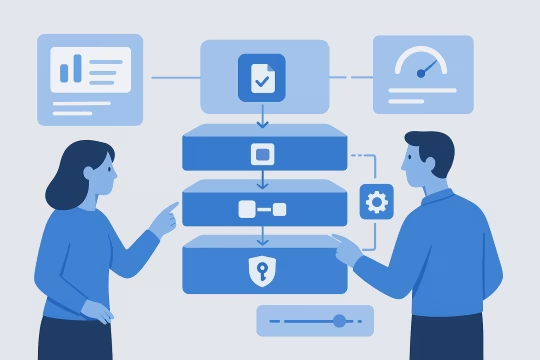
Assess current WordPress forms, plugins, and CRM touchpoints, including environments and release processes. Produce an integration inventory, risk register, and a prioritized remediation or build plan.
WordPress CRM architecture
Assess WordPress to CRM flows for mapping drift, retry gaps, auth handling, and weak observability across forms, plugins, and endpoints.
Built for Salesforce, HubSpot, and custom CRM integrations.
No login required. Takes 2–3 minutes.
WordPress CRM integration services connect website interactions to downstream customer systems such as Salesforce and HubSpot through controlled APIs, webhooks, and data contracts. The objective is WordPress lead contact sync—moving leads, contacts, form submissions, and preference signals into the CRM with predictable behavior, traceability, and clear ownership across teams.
As WordPress platforms grow, integration requirements expand beyond simple form-to-CRM posting. Teams need consistent identity handling, field mapping, validation rules, rate-limit aware processing, and support for asynchronous workflows. Without these foundations, data quality degrades, duplicate records increase, and operational troubleshooting becomes time-consuming.
This capability establishes an integration layer that fits enterprise platform architecture: versioned endpoints, secure credential management, resilient queues where needed, and monitoring that makes failures visible. The result is a WordPress platform that can evolve content and experience features while maintaining dependable Salesforce WordPress integration or HubSpot WordPress integration with governance.
Core Focus
Best Fit For
Key Outcomes
Technology Ecosystem
Delivery Scope
As WordPress platforms expand, CRM connectivity often grows organically: individual forms post directly to vendor endpoints, multiple plugins compete for ownership, and field mappings drift as marketing requirements change. What starts as a simple lead capture flow becomes a set of brittle point-to-point integrations with inconsistent validation, unclear retry behavior, and limited observability.
These issues surface as architectural friction. Engineering teams struggle to enforce consistent data contracts across sites, environments, and releases. CRM architects see duplicate contacts, missing attribution, and partial updates due to mismatched schemas or API limits. Marketing technology teams lose confidence in reporting because the same user action can produce different CRM outcomes depending on the page, form version, or plugin configuration.
Operationally, failures are hard to detect and expensive to diagnose. Without structured logging, correlation IDs, and alerting, teams rely on manual spot checks or downstream complaints. Security risk increases when API keys are embedded in configuration without rotation or least-privilege scopes. Over time, integration debt slows platform evolution because every content or form change becomes a potential CRM incident.
Review current WordPress forms, plugins, and data flows into Salesforce/HubSpot. Identify ownership boundaries, data quality issues, API constraints, and non-functional requirements such as latency, volume, and auditability.
Define canonical payloads, field mappings, validation rules, and identity strategy. Establish how consent, preferences, and attribution are represented and how changes are versioned across environments and releases.
Design authentication and secret handling using OAuth where available, scoped tokens, and rotation procedures. Define least-privilege access, webhook verification, and controls for PII handling and retention.
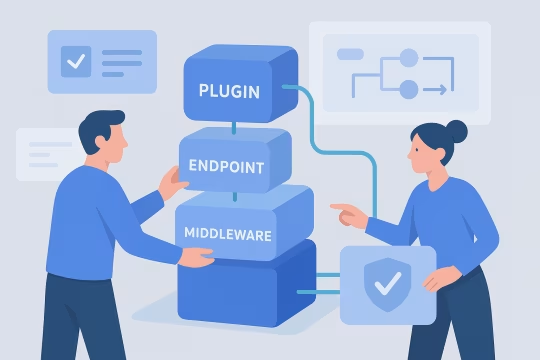
Build or harden the WordPress integration layer using plugins, custom endpoints, or middleware patterns. Implement WordPress webhook and CRM data mapping, transformation, and idempotency to prevent duplicates during retries and replays.
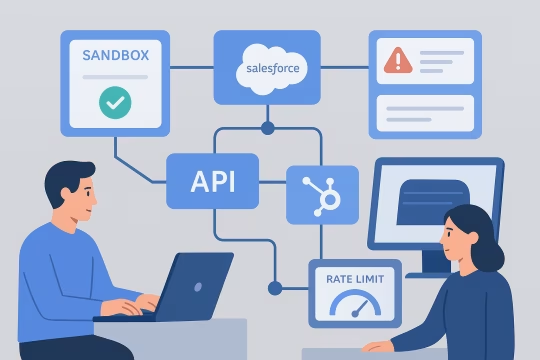
Implement Salesforce and HubSpot interactions with rate-limit awareness, batching where appropriate, and resilient retry policies. Handle partial failures and reconcile responses to maintain consistent state between systems.
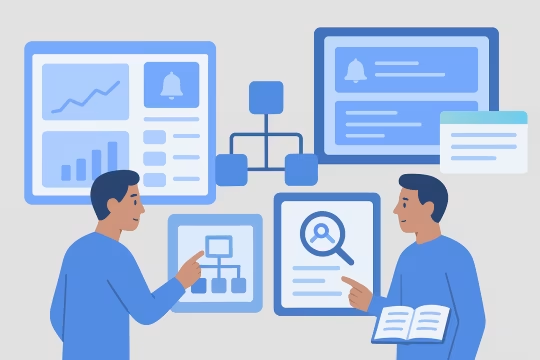
Add structured logs, correlation identifiers, and metrics for throughput, error rates, and latency. Configure alerting thresholds and dashboards so operational teams can detect and triage issues quickly.
Create integration tests for mapping rules, webhook verification, and CRM API behavior using sandbox environments. Validate edge cases such as missing fields, consent changes, and duplicate submissions.
Document runbooks, failure modes, and change procedures for mappings and credentials. Establish release checks and ownership so future platform changes do not silently break CRM synchronization.
This service focuses on building a controlled integration layer between WordPress and CRM platforms. The emphasis is on explicit data contracts, secure authentication, resilient processing, and operational visibility for secure CRM integration for WordPress platforms. The resulting architecture supports evolving form and content requirements without creating fragile point-to-point dependencies. It also enables consistent governance for identity, consent, and CRM data mapping across multi-site WordPress estates.
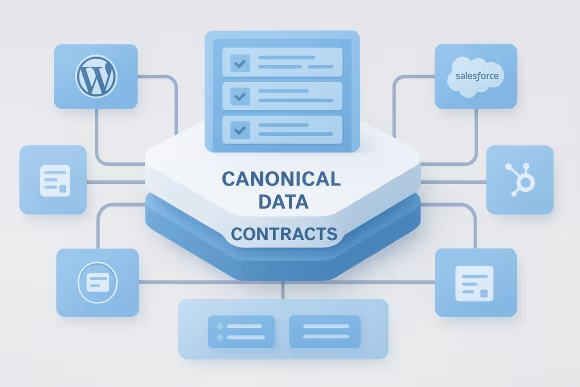
Define versioned payload schemas for leads, contacts, and preference signals, independent of individual form implementations. Contracts include required fields, validation rules, and normalization so multiple WordPress experiences produce consistent CRM updates. This reduces mapping drift and supports controlled evolution across releases and environments.
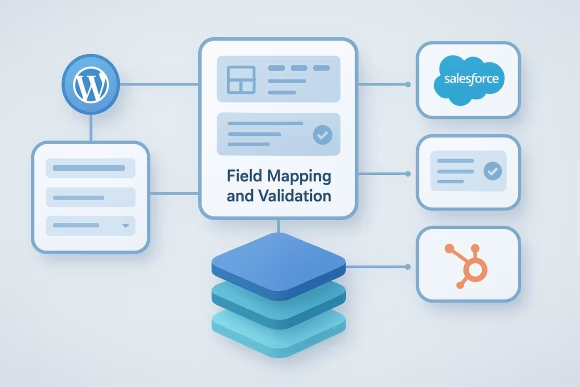
Implement deterministic mapping from WordPress inputs to Salesforce/HubSpot objects, including transformations, defaults, and conditional logic. Validation occurs before outbound calls to prevent bad data from entering the CRM and to provide actionable error feedback. Mapping rules are documented and designed for change control.
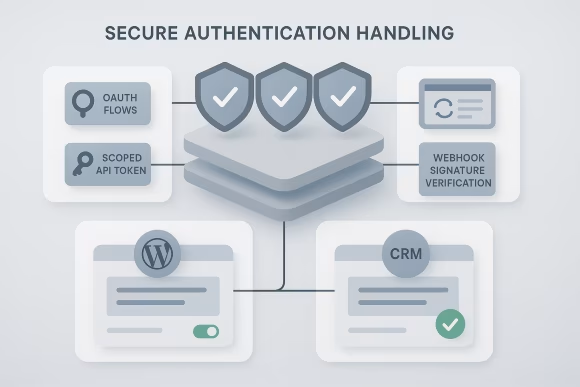
Engineer authentication using OAuth flows or scoped API tokens with rotation procedures and least-privilege permissions. Secrets are stored outside code, and webhook signatures are verified to prevent spoofing. The approach aligns with enterprise security expectations for PII and credential lifecycle management.
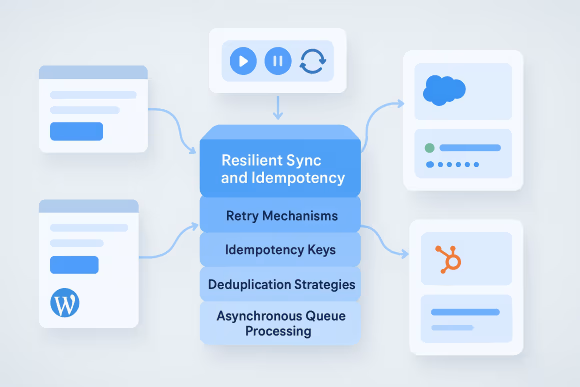
Design outbound processing to handle retries safely using idempotency keys, deduplication strategies, and consistent record identifiers. Where asynchronous processing is required, implement queue-friendly patterns and replay controls. This prevents duplicate CRM records during transient failures and supports reliable recovery.

Implement rate-limit aware request handling, batching where supported, and backoff policies aligned to Salesforce and HubSpot constraints. Normalize error responses into actionable categories and capture enough context for troubleshooting. This reduces integration instability under peak traffic and campaign-driven spikes.

Support inbound CRM events where needed, including webhook verification, payload validation, and controlled updates back into WordPress. Event processing is designed to avoid feedback loops and to respect ownership boundaries between systems. This enables bi-directional patterns without compromising platform stability.

Add structured logging, correlation IDs, and metrics that trace a submission from WordPress through to CRM outcomes. Provide dashboards and alerting for failure rates, latency, and throughput, plus audit trails for sensitive updates. This makes integration behavior measurable and supportable in production.
Review the architecture behind lead capture, validation, delivery, and monitoring so failures are easier to prevent and diagnose.
Engagements are structured to reduce integration risk early, then incrementally harden the implementation with testing, observability, and governance. The delivery model supports both greenfield integrations and remediation of existing plugin-based or bespoke implementations.
[01]Assess current WordPress forms, plugins, and CRM touchpoints, including environments and release processes. Produce an integration inventory, risk register, and a prioritized remediation or build plan.
 [02]
[02]Define target integration architecture, data contracts, mapping rules, and identity/consent strategy. Align on non-functional requirements such as throughput, latency, auditability, and operational ownership.
 [03]
[03]Develop the integration components in WordPress (plugins, endpoints, hooks) and any required middleware patterns. Implement validation, transformation, and secure credential handling with environment-specific configuration.
 [04]
[04]Integrate with Salesforce/HubSpot sandboxes and validate object mappings, error handling, and rate-limit behavior. Run end-to-end tests for key user journeys and edge cases, including retries and duplicate prevention.
 [05]
[05]Instrument logs, metrics, and tracing identifiers; configure dashboards and alerting. Establish operational runbooks and on-call expectations for incident response and routine maintenance.
 [06]
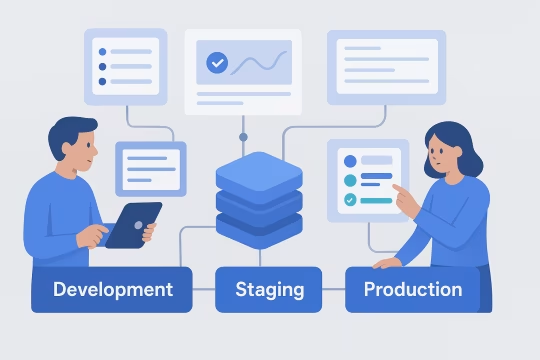
[06]Plan cutover, migration steps, and rollback procedures to minimize disruption. Deploy with controlled feature flags or phased rollout where appropriate, and validate production behavior against agreed acceptance criteria.
 [07]
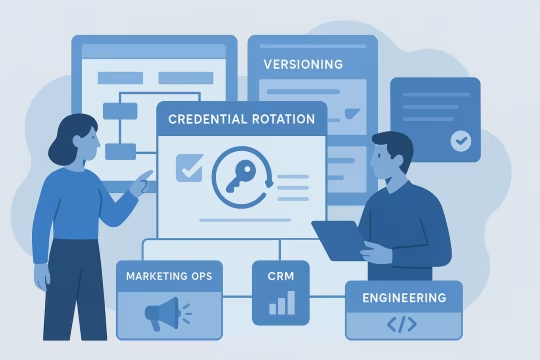
[07]Set up processes for mapping changes, credential rotation, and integration versioning. Define ownership boundaries between marketing ops, CRM teams, and engineering to prevent unmanaged drift.
 [08]
[08]Review operational metrics and incident patterns to refine retries, mappings, and performance. Support iterative enhancements as CRM models, consent requirements, or WordPress experiences evolve.
CRM integration engineering reduces operational noise and improves the reliability of marketing and customer data flows. By formalizing contracts, security, and observability, teams can change WordPress experiences without repeatedly breaking downstream CRM processes.
Validation and deterministic mappings reduce incomplete or malformed records entering Salesforce or HubSpot. Cleaner data improves segmentation, routing, and reporting without requiring constant manual cleanup.
Resilient retries, idempotency, and rate-limit handling reduce production failures during traffic spikes. When failures occur, structured logs and alerts shorten time to detection and recovery.
With stable contracts and governed mapping changes, teams can update forms and experiences with fewer downstream surprises. This reduces coordination overhead between marketing ops, CRM, and engineering.
Credential lifecycle management, least-privilege access, and webhook verification reduce security exposure. Clear runbooks and ownership boundaries improve operational readiness and auditability.
Replacing ad hoc point-to-point flows with a consistent integration layer reduces plugin sprawl and configuration drift. The platform becomes easier to upgrade and less sensitive to vendor API changes.
Dashboards and correlation IDs provide a shared view of throughput, error rates, and latency. This supports evidence-based prioritization and clearer accountability across teams.
Canonical contracts and shared integration components enable consistent CRM behavior across multiple WordPress sites. This reduces duplicated effort and prevents divergent implementations across business units.
Reduce integration debt
Identify brittle handoffs, inconsistent schemas, and hidden failure points before they create duplicate contacts, missing attribution, or support overhead.
No login required. Takes 2–3 minutes.
Adjacent capabilities that extend WordPress integration architecture, API governance, and operational reliability across the platform ecosystem.
WordPress REST API engineering and GraphQL API design
WordPress integration services for secure API connections
GA4 event tracking WordPress with governed measurement
Custom WordPress REST endpoints, schemas, and authentication patterns
Schema-first APIs for headless content delivery
Upgrade-ready architecture, WordPress CI/CD and DevOps, and operational hardening
Enterprise WordPress Platform Engineering
WordPress platform strategy consulting: architecture principles, governance, and roadmap definition
Enterprise WordPress network design for multi-site ecosystems
Common questions from platform, CRM, and marketing technology stakeholders evaluating WordPress-to-CRM integration work.
The right pattern depends on volume, latency tolerance, and how many WordPress properties share the same CRM model. For low to moderate volume, a direct outbound integration from WordPress to Salesforce or HubSpot can work if it is implemented with strict data contracts, idempotency, and strong observability. For higher volume or when multiple sites need consistent behavior, an integration layer is often preferable. This can be a shared WordPress plugin framework plus a centralized API/middleware that handles mapping, retries, and vendor-specific logic. The middleware approach reduces duplication, isolates vendor API changes, and supports asynchronous processing when CRM rate limits or downstream workflows require buffering. In both cases, the key architectural decisions are: canonical payload schema, identity strategy (email vs CRM IDs), deduplication rules, and how you handle partial failures. We typically design the integration so WordPress remains responsible for capturing intent and context, while the integration layer enforces contracts and operational controls.
Identity and matching should be treated as an explicit design concern, not an implementation detail. We start by defining the system of record for key identifiers (for example, CRM contact ID) and the matching keys used during create/update operations (email, external ID, or a composite key). We then implement idempotency so repeated submissions or retries do not create duplicate records. For Salesforce, this often involves using external IDs on custom objects or leveraging upsert semantics where appropriate. For HubSpot, we align with its contact uniqueness rules and implement safeguards for updates that could unintentionally overwrite fields. We also define how anonymous-to-known transitions are handled (e.g., when a user later provides an email) and how attribution metadata is stored. Finally, we document and test the matching rules with real edge cases: shared inbox emails, multiple brands/sites, and consent changes. This prevents “silent duplicates” that later distort reporting and routing.
At minimum, you need visibility into throughput, error rates, and latency for each integration flow (e.g., form submission to CRM create/update). We implement structured logs with correlation IDs so a single submission can be traced across WordPress, any middleware, and the CRM response. Metrics should include counts by outcome category (success, validation failure, authentication failure, rate-limited, vendor error) and queue depth if asynchronous processing is used. Alerting should focus on actionable signals: sustained error rate above a threshold, authentication/token refresh failures, webhook verification failures, and abnormal drops in volume that indicate upstream breakage. Dashboards should be usable by both engineering and marketing operations, with clear definitions of what each metric means. We also recommend operational runbooks: how to replay failed events safely, how to rotate credentials, and how to validate mappings after CRM schema changes. This turns integrations into supportable production systems rather than “black boxes.”
Rate limits are a normal constraint for Salesforce and HubSpot, so the integration must be designed to degrade gracefully. We implement backoff and retry policies that respect vendor guidance, and we avoid retry storms by categorizing errors and applying circuit-breaker style behavior when the vendor is unavailable. For predictable spikes (campaign launches, major announcements), we often recommend asynchronous processing: capture the submission, validate it, and enqueue it for controlled delivery to the CRM. This allows you to smooth traffic, batch requests where supported, and maintain a stable user experience even when the CRM is under load. We also implement idempotency so retries do not create duplicates, and we expose operational metrics such as queue depth and processing lag. That way, teams can see when the system is falling behind and take corrective action before it becomes a data quality incident.
Yes, but it requires a normalization layer so each form plugin does not implement its own mapping logic. We typically define a canonical submission schema (the fields and metadata your organization cares about) and then build adapters for each form source (for example, Gravity Forms, Contact Form 7, or custom blocks) to translate into that schema. Once normalized, the outbound CRM integration operates on the canonical schema, applying consistent validation, consent rules, and deduplication. This prevents drift where one form sends different field names, formats, or required attributes than another. We also recommend centralizing configuration for mappings and environment endpoints, with version control and change approval. That makes it possible to update CRM fields or business rules once, rather than chasing plugin-specific settings across multiple sites and teams.
Bi-directional sync is feasible, but it must be constrained to avoid feedback loops and unclear ownership. We start by defining which system owns which fields. For example, WordPress may own marketing preferences captured on-site, while the CRM owns account status or lifecycle stage. We then design update rules so only the owning system can change a given field, and we document conflict resolution behavior. Inbound updates from Salesforce or HubSpot are typically delivered via webhooks or scheduled pulls. We verify webhook signatures, validate payloads, and apply updates through controlled WordPress APIs to avoid bypassing business logic. We also implement loop prevention (for example, tagging updates with source identifiers and ignoring echoes). Finally, we define operational safeguards: replay handling, audit logs for sensitive fields, and a clear process for schema changes. Without these, bi-directional sync tends to become fragile and hard to support.
We treat mappings as governed artifacts with ownership, versioning, and release controls. Practically, that means documenting the canonical schema, the CRM object/field targets, and the transformation rules, then storing mapping configuration in version control where possible. Changes are reviewed like code changes, with clear acceptance criteria and rollback plans. We also establish a change process between CRM architects and platform teams. When the CRM adds or deprecates fields, we assess impact on WordPress capture points, validation rules, and downstream workflows. For multi-site setups, we ensure changes are applied consistently and tested in non-production environments. Where configuration must live in WordPress admin, we still apply governance: restricted permissions, exportable configuration, and release checklists. The goal is to prevent “silent drift” that breaks reporting or routing weeks after a change was made.
Support documentation should focus on how the integration behaves in production and how to respond when it doesn’t. We typically produce: an integration overview (systems, flows, ownership), data contract and mapping documentation, credential and token rotation procedures, and a failure-mode catalog (common errors, what they mean, and what to do). Runbooks should include step-by-step instructions for triage: where to find logs and dashboards, how to locate a submission using correlation IDs, and how to determine whether the issue is WordPress-side, network/auth, or CRM-side. If asynchronous processing exists, the runbook should cover safe replay and deduplication checks. We also recommend a release checklist that includes sandbox validation, mapping verification, and monitoring checks post-deploy. This reduces operational dependency on individual engineers and makes the integration maintainable across team changes.
The primary risks are credential exposure, excessive permissions, insecure webhook handling, and uncontrolled PII propagation. API keys or tokens stored in code or broadly accessible configuration increase the likelihood of leakage. Over-scoped CRM permissions can turn a compromised WordPress component into a high-impact incident. We mitigate these risks by using least-privilege scopes, storing secrets outside the codebase, and implementing rotation procedures. For inbound webhooks, we verify signatures, enforce TLS, validate payload schemas, and apply rate limiting to reduce abuse. We also design logging carefully to avoid storing sensitive payloads while still enabling troubleshooting. From a compliance perspective, consent and preference signals must be handled consistently and auditable. We define what is collected, where it is stored, how it is transmitted, and how deletion or access requests are supported across systems. The integration should make these controls explicit rather than implicit.
Duplicates and attribution errors usually come from inconsistent identifiers, uncontrolled retries, and divergent mappings across forms or sites. We address this by defining a matching strategy up front (for example, upsert by external ID or email) and implementing idempotency keys so the same submission cannot create multiple CRM records during retries. Attribution requires consistent metadata capture and a clear contract for how it is represented in the CRM. We standardize fields for source, campaign parameters, referrer, and page context, and we validate formats before sending. We also ensure that updates do not unintentionally overwrite higher-quality CRM data, using field ownership rules and conditional updates. Finally, we test with realistic scenarios: repeated submissions, network timeouts, user edits, and multi-site journeys. This is where many integrations fail in practice, and where controlled replay and deduplication logic provides measurable risk reduction.
In the first phase, we aim to make the integration landscape explicit and reduce uncertainty. Typical outputs include an integration inventory (forms, plugins, endpoints, CRM objects), a target architecture recommendation (direct vs middleware, synchronous vs asynchronous), and a defined canonical data contract with initial mapping rules. We also establish the operational baseline: how failures are currently detected, what logs exist, and where the biggest data quality issues originate. If there are critical production issues, we may implement quick stabilizations such as improved error handling, credential hardening, or basic monitoring while the longer-term architecture is finalized. By the end of this period, stakeholders should have a clear plan with prioritized work items, acceptance criteria, and an agreed approach to governance (who approves mapping changes, how releases are validated, and how incidents are handled). This sets up predictable delivery for the implementation phase.
Collaboration typically begins with a short technical intake and access alignment. We request a list of WordPress properties in scope, the form sources involved, and the target CRM objects and workflows (Salesforce and/or HubSpot). We also align on environments (staging, sandbox), who can provision API credentials, and any compliance constraints around PII and consent. Next, we run a focused discovery workshop with marketing technology, CRM architecture, and engineering. The goal is to map the end-to-end flows: what is captured, where it should land in the CRM, what constitutes success, and what failure looks like operationally. We review existing plugins/custom code, current field mappings, and known pain points such as duplicates, missing attribution, or rate-limit errors. From there, we propose a delivery plan with a target architecture, milestones, and testing/observability requirements. If needed, we can start with a pilot flow (one form family or one site) to validate the contract and operational model before scaling across the platform.
These case studies highlight real-world implementations of complex content platform integrations and migrations involving WordPress and Drupal ecosystems. They showcase governance, data synchronization, and secure API integration strategies that align closely with WordPress CRM integration requirements, demonstrating scalable architecture, data mapping, and operational observability in enterprise environments.
UNCCD operated four separate websites (two WordPress, two Drupal), leading to inconsistencies in design, content management, and user experience. A unified, scalable solution was needed to support a large-scale CMS migration project and improve efficiency and usability.
The modernization effort resulted in a cohesive, user-friendly, and scalable website, improving content management efficiency and long-term digital sustainability.
The existing marine data portal relied on three unaligned WordPress installations and embedded PHP code, creating inefficiencies and risks in content management and usability.
The new Drupal DXP streamlined content operations and improved accessibility, offering scientists and businesses a more efficient gateway to marine data services.
It was my pleasure working with Oleksiy (PathToProject) on a new Drupal website. He is a true full-stack developer—the ideal mix of DevOps expertise, deep front-end knowledge, and the structured thinking of a senior back-end developer.
He is well-organized and never lets anything slip. Oleksiy understands what needs to be done before being asked and can manage a project independently with minimal involvement from clients, product managers, or business analysts.
One of the best consultants I’ve worked with so far.

Andrei Melis
Technical Lead at Eau de Web
Oleksiy (PathToProject) and I worked together on a Digital Transformation project for Bayer LATAM Radiología. Oly was the Drupal developer, and I was the business lead. His professionalism, technical expertise, and ability to deliver functional improvements were some of the key attributes he brought to the project.
I also want to highlight his collaboration and flexibility—throughout the entire journey, Oleksiy exceeded my expectations.
It’s great when you can partner with vendors you trust, and who go the extra mile.

Axel Gleizerman Copello
Building in the MedTech Space | Antler
Oleksiy (PathToProject) is demanding and responsive. Comfortable with an Agile approach and strong technical skills, I appreciate the way he challenges stories and features to clarify specifications before and during sprints.

Olivier Ritlewski
Ingénieur Logiciel chez EPAM Systems
These articles expand on the architecture, governance, and operational controls that make WordPress CRM integrations reliable at enterprise scale. They cover integration patterns, field ownership, scheduled job governance, and the observability needed to keep syncs predictable and supportable.
Share your current WordPress forms, CRM targets, and operational constraints. We will assess integration risks, define data contracts, and propose an implementation plan with testing and monitoring requirements.