Drupal 8 vs Drupal 9: What Changed and What It Means for Your Platform
When Drupal 9 was released, the conversation in the Drupal community was surprisingly calm. Unlike previous major upgrades, Drupal 9 was not a radical rebuild of the platform. Instead, it represented a structured transition — one designed to reduce disruption and improve long-term maintainability.
Originally published in 2020, this article reviewed the key differences between Drupal 8 and Drupal 9. The core message remains relevant: Drupal 9 was less about new features and more about modernization, code cleanup, and strategic continuity.
Check your Drupal upgrade readinessRun a quick Drupal Platform Health CheckA Planned and Predictable Upgrade
One of the most important aspects of Drupal 9 is that it was built directly on Drupal 8. From an architectural perspective, Drupal 9 did not introduce a completely new framework. Instead, it removed deprecated code and ensured compatibility with updated dependencies such as Symfony and other underlying libraries.
In practical terms, this meant that organizations running Drupal 8.8 or 8.9 could upgrade to Drupal 9 without rebuilding their platform from scratch. The API structure remained consistent. The primary difference was that deprecated code in Drupal 8 was removed in Drupal 9.
This approach reflected a strategic shift in Drupal’s release philosophy. Rather than forcing disruptive migrations every few years, the Drupal core team adopted a continuous improvement model. Future versions would evolve incrementally rather than through abrupt architectural overhauls.
Minimal Feature Differences at Launch
At the time of release, Drupal 9 introduced minimal new functionality. The focus was on technical debt reduction rather than visible feature expansion.
New features were expected to appear in subsequent minor releases, such as Drupal 9.1 and beyond. This distinction was important for decision-makers: upgrading to Drupal 9 was not primarily about gaining immediate new capabilities. It was about ensuring future compatibility and maintaining a clean, supported codebase.
From an enterprise perspective, this type of upgrade strategy is beneficial. It reduces risk, simplifies planning, and aligns modernization efforts with long-term governance practices, especially when supported by a clear platform strategy.

See what could block a smooth Drupal upgrade
Assess deprecated code, dependency risk, and support gaps before they slow maintenance planning.
- Audit version readiness
- Spot deprecated dependencies
- Reduce upgrade risk
Upgrade Requirements
For direct upgrades to Drupal 9, the minimum required version was Drupal 8.8. Organizations running earlier Drupal 8 versions needed to update to 8.8 or 8.9 before proceeding.
The migration process was technically feasible for virtually any Drupal 8 project, provided that deprecated code had been addressed. Modules and custom implementations relying on outdated APIs required refactoring before upgrading.
This is where structured modernization practices become essential. A controlled Drupal version upgrade or upgrade process allows teams to audit deprecated components, update dependencies, and validate compatibility before production deployment.
Why Code Cleanup Matters
Removing deprecated code may appear incremental, but it has significant long-term implications. Clean codebases improve security, maintainability, and performance stability.
Enterprise platforms often accumulate custom modules, third-party integrations, and legacy extensions. Without regular cleanup, technical debt increases. Drupal 9 represented an opportunity to align projects with modern development standards.
Organizations that adopted a structured Drupal architecture approach were better positioned to transition smoothly. Clear separation of custom logic, standardized configuration management, and Composer-based dependency control reduced upgrade friction.
Business Implications of the Upgrade
For business leaders, the Drupal 8 to Drupal 9 transition was less about features and more about sustainability.
Staying on unsupported versions introduces security exposure and limits future innovation. Upgrading ensures compatibility with modern PHP versions, updated libraries, and security patches.
Additionally, modernization improves developer efficiency. Teams working on supported, standardized platforms spend less time managing legacy workarounds and more time building value-driven features.
Performance and infrastructure optimization also benefit from version alignment. When combined with structured Drupal platform modernization, upgraded platforms achieve greater operational stability and predictability.
Planning an Upgrade Strategically
Although Drupal 9 was designed as a smooth transition, upgrades should still follow a structured process:
- Audit deprecated code.
- Update contributed modules.
- Refactor custom modules where required.
- Validate environment compatibility.
- Test thoroughly in staging environments.
- Deploy using controlled CI/CD processes.
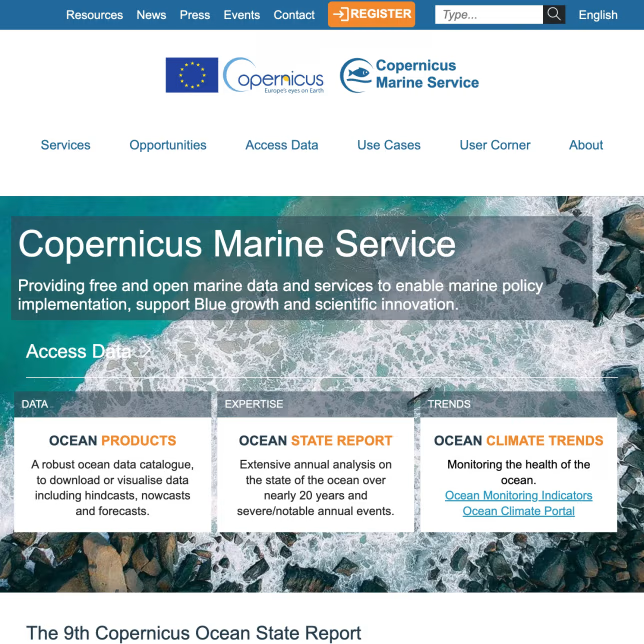
Organizations leveraging Drupal platform audit practices significantly reduce deployment risk during version transitions. Automated testing, containerized environments, and version-controlled configuration ensure repeatable outcomes. This kind of disciplined rollout was especially important in large-scale modernization programs such as Veolia and iterative enterprise upgrade programs like Copernicus Marine Service.
The Drupal 9 release demonstrated the maturity of the Drupal ecosystem. It prioritized long-term sustainability over disruptive reinvention.
Looking Forward
The evolution from Drupal 8 to Drupal 9 marked a turning point in Drupal’s lifecycle management. Future major versions would follow the same philosophy: incremental improvements built on a stable foundation.
For organizations that treat their digital platforms as core infrastructure, this approach provides confidence. Upgrades become part of regular maintenance cycles rather than disruptive projects.
In summary, Drupal 9 did not reinvent Drupal. It refined it. It removed outdated components, strengthened compatibility, and prepared the ecosystem for future development.
The question in 2020 was simple: have you started preparing for Drupal 9?
Drupal maintenance
Know where your platform stands before the next upgrade cycle
Use a focused Health Check to uncover maintenance risks, outdated dependencies, and upgrade blockers across your Drupal platform.
Today, the broader lesson remains relevant — structured modernization and proactive version management are essential for maintaining secure, scalable digital platforms.
Tags: Drupal 8, Drupal 9, Drupal Upgrade, Drupal Migration, Drupal Architecture, Drupal DevOps, Platform Modernization