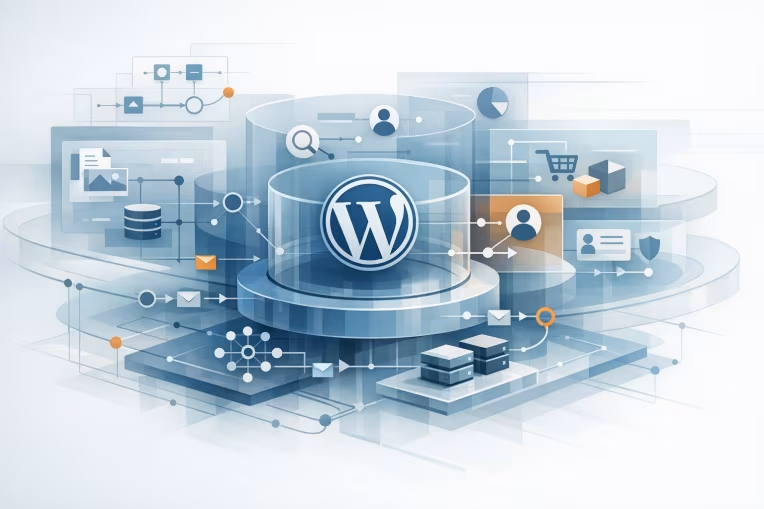
In composable platform programs, WordPress is rarely the whole platform. It is usually one domain in a broader architecture that includes frontend applications, experience APIs, search services, digital asset management, identity, analytics, and operational workflows.
That is why wordpress integration architecture decisions matter so much. If WordPress is integrated too directly with every consumer and every adjacent system, the CMS becomes an accidental hub with fragile dependencies. If it is over-abstracted too early, teams can introduce latency, duplicated logic, and governance overhead without solving the real problem.
The better approach is to choose integration patterns based on what WordPress is actually responsible for, what other systems need from it, and how often those boundaries are expected to change.
Start with WordPress role clarity
Before selecting an integration pattern, define WordPress as a platform role rather than just a product installation.
In enterprise environments, WordPress commonly plays one or more of these roles:
- Editorial content management for marketing and campaign teams
- Structured content source for websites, apps, or kiosks
- Presentation-aware CMS for page composition and preview workflows
- Event publisher for content lifecycle changes
- Integration participant for taxonomy, search indexing, translation, or asset enrichment
Those roles have different implications.
If WordPress is mostly an editorial system with limited downstream consumers, direct API access may be enough. If WordPress supplies structured content to many channels, it needs stronger contract discipline. If it participates in operational workflows across multiple systems, event flows and failure isolation become more important.
A useful early exercise is to map these four dimensions:
- Consumers: which systems or channels read WordPress content
- Producers: which systems write data into or alongside WordPress
- Criticality: what breaks if WordPress is slow or unavailable
- Change frequency: how often schemas, templates, plugins, and delivery requirements evolve
This framing usually reveals whether you need simple direct integration, a mediated API layer, an event-driven model, or a hybrid of all three.
Common WordPress integration pattern candidates
There is no single correct wordpress api architecture for composable platforms. Most enterprise implementations use a combination of patterns, but each should be selected deliberately.
Pattern 1: Direct consumer access to WordPress APIs
In this model, frontend apps or downstream services call the WordPress REST API or GraphQL endpoint directly.
This pattern works well when:
- WordPress is the primary source of truth for the requested content
- Consumer count is small and manageable
- Response shapes are relatively stable
- Teams can tolerate some coupling to WordPress data structures
A common example is a Next.js frontend calling WordPress through WPGraphQL for page content, navigation, authors, and taxonomies.
The main advantages are speed of delivery and fewer moving parts. Editorial teams keep familiar workflows, and frontend teams can integrate quickly.
The trade-offs are equally clear:
- Consumer applications often become coupled to WordPress-specific field names and content modeling choices
- Caching, security, rate limits, and authorization logic may be duplicated across consumers
- Plugin changes can affect multiple channels unexpectedly
- It becomes harder to evolve WordPress internals without coordinating every consumer
Direct access is often acceptable for a bounded platform domain. It becomes risky when WordPress starts serving many products or when governance expectations increase.
Pattern 2: Experience API or BFF in front of WordPress
A more mature pattern places an experience API, aggregation layer, or backend-for-frontend between consumers and WordPress.
WordPress remains a source system, but consumers do not bind to its native APIs directly. Instead, they call an API tailored to channel or product needs.
For example:
- WordPress stores campaign copy and modular page sections
- Commerce data comes from a separate product or pricing service
- Search metadata comes from an index service
- A BFF composes the final response used by the web application
This pattern is useful when:
- Multiple data sources need orchestration
- Channel-specific response shapes differ from WordPress content models
- Teams need a stable contract while WordPress evolves internally
- Security, caching, and observability should be centralized
This is often the most practical enterprise pattern because it creates a boundary that protects both the CMS and the consuming applications.
The caution is that the middle layer must remain purposeful. If it becomes a generic pass-through with no clear ownership, it adds complexity without creating architectural value.
For teams evaluating whether their current integration boundary is still fit for purpose, an early diagnostic can save time before a larger modernization effort begins.
See where your content architecture is creating fragile dependenciesRun a quick WordPress Health CheckPattern 3: Event-driven propagation from WordPress
In this model, WordPress publishes content lifecycle events that downstream systems consume asynchronously.
Typical event triggers include:
- Post published
- Page updated
- Taxonomy changed
- Asset references modified
- Content unpublished or archived
Those events might trigger search reindexing, cache invalidation, static site regeneration, personalization model updates, translation workflows, or notifications to downstream content services.
WordPress itself does not need to act as a full event platform. It can publish webhook notifications or invoke integration services that transform WordPress lifecycle changes into governed events.
This pattern helps when:
- Consumers do not need real-time request-response coupling
- Multiple downstream systems need to react to content changes
- You want to reduce synchronous dependency chains
- Operational resilience matters more than immediate consistency
The trade-off is complexity in event design, retries, idempotency, ordering assumptions, and monitoring. Event-driven patterns are powerful, but only if teams treat events as products with documented semantics rather than just side effects.
Pattern 4: Controlled write integrations into WordPress
Many architectures focus on content delivery only, but inbound integrations deserve equal attention.
Examples include:
- Importing product-related copy from PIM or ERP-adjacent systems
- Syncing taxonomy terms from a master data domain
- Creating landing pages from campaign orchestration tools
- Enriching content with metadata from SEO or experimentation platforms
For these cases, avoid letting many systems write directly to WordPress tables or plugin-specific internals. Prefer controlled write boundaries through:
- A custom integration API
- Validated admin workflows
- Queue-backed import jobs
- Field mapping services with audit visibility
The goal is to protect editorial integrity and avoid corrupting content models through uncontrolled automation.
Synchronous versus event-driven trade-offs
Many composable platforms do not need to choose one or the other globally. They need to decide where synchronous calls are appropriate and where asynchronous flows are safer.
Use synchronous integration when freshness and interaction matter
Synchronous patterns are a better fit when the consumer needs an immediate answer from WordPress or an orchestration layer.
Examples:
- A web page request needs the latest hero content and navigation
- A preview environment must render unpublished content for editors
- An authenticated application needs localized content variants on demand
Synchronous architecture gives straightforward consistency semantics. The caller requests data and gets the current available response.
But under enterprise scale, the real question is not just whether synchronous works on a happy path. It is how the platform behaves when one dependency slows down or returns partial errors.
If a frontend request triggers live calls to WordPress, search, recommendations, and profile services, one weak dependency can degrade the entire experience. This is where response shaping, caching, and fallback design become essential.
Use event-driven integration when propagation is acceptable
Asynchronous flows are usually better when the need is distribution, enrichment, or cache preparation rather than immediate interactive response.
Examples:
- Publishing an article triggers search indexing
- Updating a taxonomy triggers regeneration of category pages
- Saving a landing page emits an event for downstream analytics or experimentation configuration
The benefit is looser coupling. WordPress does not need to wait for every downstream process to complete successfully before the editorial action can finish.
The cost is eventual consistency. Architects need to define what delay is acceptable and what operational signals indicate that the platform is healthy.
A practical enterprise design often looks like this:
- Synchronous APIs for content retrieval, preview, and critical read paths
- Event-driven propagation for indexing, denormalization, cache warming, and cross-system updates
That split keeps the editorial and consumer experience responsive while reducing unnecessary runtime dependency chains.
Define schema and contract governance early
Many integration problems blamed on WordPress are actually contract governance problems.
When consumers depend on ad hoc field structures, plugin-generated payloads, or loosely documented custom post type data, changes become risky. Teams then either freeze the model or break consumers accidentally.
For composable platforms, contract governance should cover at least three layers.
1. Content model governance inside WordPress
Start with disciplined modeling of:
- Custom post types
- Taxonomies
- Custom fields and field groups
- Reusable blocks or modular components
- Localization structure
- Media and asset references
The key is to distinguish editorial flexibility from integration contract stability.
Editors may need optional fields and layout variation. Consumers need predictable data structures. That usually means defining required fields, validation rules, and ownership for each model rather than letting integrations discover structure dynamically.
2. API contract governance at the boundary
If consumers use WordPress APIs directly, formalize what is supported.
That can include:
- Versioned REST routes or GraphQL schemas
- Documented response shapes for key content types
- Deprecation policies for fields
- Authentication and authorization rules
- Error handling and pagination behavior
If you use WPGraphQL, schema governance matters just as much as REST governance. Exposing everything by default may be convenient early on, but it can create a large and unstable surface area. Many enterprise teams benefit from curating which types and fields are intended for external use.
If you place a BFF or experience API in front of WordPress, that layer becomes the public contract. WordPress can then evolve behind it with more freedom.
3. Event contract governance for asynchronous flows
Events should not be vague messages like contentUpdated without context. They need explicit meaning.
A more useful event design includes:
- Event type, such as
wordpress.page.published - Resource identifier and canonical URL or slug
- Version or schema reference
- Timestamp and environment metadata
- Change scope when available
- Correlation ID for traceability
This helps downstream systems process events safely and makes troubleshooting possible when propagation fails.
Address dependency and failure isolation explicitly
A composable platform is only as robust as its weakest runtime dependency chain. WordPress integrations often fail not because WordPress cannot serve content, but because dependency isolation was never designed.
Isolate WordPress from frontend runtime fragility
If every page request depends on live CMS calls, the frontend inherits CMS latency and availability characteristics. That may be acceptable for preview or low-volume editorial interfaces, but public delivery often needs stronger controls.
Common mitigation patterns include:
- Edge or application caching for published content
- Static or incremental rendering for high-traffic pages
- Content snapshots or denormalized read models
- Timeouts and fallback responses in orchestration layers
- Graceful degradation for non-critical content modules
For example, a page shell might render from cached content even if a related recommendations call fails. That is an architecture decision, not just an implementation detail.
Isolate downstream systems from WordPress operational changes
Plugin updates, schema extensions, and editorial workflow changes can introduce breaking behavior. To reduce blast radius:
- Avoid exposing plugin-specific data structures as long-term public contracts
- Use adapter layers around custom field groups or block data
- Validate outgoing payloads before publishing them to consumers or event streams
- Monitor contract changes as part of release management
This is especially important where WordPress is extended heavily through custom plugins or third-party packages. Internal implementation freedom should not become external contract instability.
Design for partial failure, not perfect consistency
Enterprise integration programs often fail because they assume all dependencies are healthy all the time.
A better approach is to define:
- Which experiences require strong consistency
- Which can tolerate stale content briefly
- Which failures should block publishing
- Which should trigger retries and operational alerts instead
For example, if publishing a page fails to notify the search indexing pipeline, should the editorial publish be blocked? Often the better answer is no. Let publishing complete, emit a retryable integration event, and provide monitoring so the issue is visible and recoverable.
WordPress-centric implementation examples
Vendor-neutral advice can be too abstract to help architecture decisions. In WordPress programs, the practical details usually center on how WordPress is extended and exposed.
A few concrete examples:
- REST-based contract layer: Create custom namespaced REST endpoints for stable content delivery models instead of exposing raw post objects and all meta fields.
- GraphQL boundary control: Use WPGraphQL selectively, with explicit schema design and review of which post types, taxonomies, and fields are public.
- Publish hooks to integration services: Use WordPress lifecycle hooks such as publish and update events to trigger a queueing or webhook layer rather than pushing complex downstream logic into WordPress itself.
- Preview isolation: Keep preview endpoints separate from public delivery APIs so unpublished content access rules stay constrained.
- Block rendering strategy: If using Gutenberg blocks as structured content, define which blocks are purely presentational and which are contract-bearing content components for downstream consumers.
These are small architectural choices, but they strongly influence maintainability at scale.
A practical migration path from tightly coupled to composable
Most enterprise teams do not start with a clean slate. They inherit a WordPress estate with direct theme logic, plugin dependencies, bespoke fields, and multiple consumers already in production.
The migration path should reduce risk, not demand immediate replatforming.
Phase 1: Inventory and classify current integrations
Document:
- Who reads from WordPress today
- How they authenticate
- Which endpoints or plugins they depend on
- Which payload fields are business-critical
- Which write paths exist into WordPress
This sounds basic, but many organizations discover that integration dependency maps are incomplete or tribal.
Phase 2: Identify unstable coupling points
Look for signals such as:
- Consumers tied to raw database-like payloads
- Frontends depending on plugin-specific meta structures
- Editorial changes requiring application releases
- Multiple systems writing to the same content objects without governance
Those are good candidates for an abstraction layer or contract redesign.
Phase 3: Introduce a stable boundary for new use cases
Do not refactor everything at once. Start by routing new consumers through a governed API or BFF while legacy consumers continue on existing patterns.
This allows teams to prove the new boundary model without forcing a big-bang migration.
Phase 4: Add event-driven propagation where synchronous chains are weakest
If search indexing, static regeneration, personalization, or analytics updates are currently embedded in synchronous publishing flows, move them to asynchronous processing first. This often improves resilience quickly without changing the editorial experience.
Phase 5: Version contracts and retire direct dependencies gradually
As stable APIs and events mature, migrate high-value consumers first. Track deprecation intentionally. The objective is not zero direct WordPress access overnight. It is reducing accidental coupling where it creates the most operational pain.
Decision criteria for architects
When selecting among composable platform patterns, use criteria that reflect platform reality rather than ideology.
Ask:
- How many consumers need this content, and how varied are their needs?
- How stable is the WordPress content model expected to be?
- Which interactions require immediate freshness?
- Where is eventual consistency acceptable?
- What is the blast radius if WordPress changes, slows down, or becomes unavailable?
- Which team owns the boundary contract?
- How much governance can the organization actually sustain?
The last question matters more than many architecture diagrams admit. A sophisticated integration model without clear ownership usually performs worse than a simpler model that teams can operate reliably.
Final perspective
A strong wordpress integration architecture does not try to make WordPress the center of everything, and it does not reduce WordPress to a generic content bucket either. It gives WordPress a clear role inside the composable platform, then defines API and event boundaries that are stable enough for consumers and flexible enough for platform evolution.
In practice, that usually means avoiding extreme positions. Direct WordPress APIs can work well for bounded use cases. Experience APIs and BFFs can create durable contracts for multi-system delivery. Event-driven flows can reduce runtime coupling for propagation and enrichment. The key is to apply each pattern where its trade-offs fit the operating model.
When architects get that balance right, WordPress becomes easier to scale, easier to change, and easier to govern as enterprise platform complexity grows.
That kind of outcome usually depends less on any single integration technology and more on whether the platform team has defined stable boundaries around content, contracts, and operational ownership.
For WordPress programs, the practical lesson is that modernization should start where coupling is creating measurable friction: brittle payloads, duplicated orchestration logic, slow release coordination, or publishing flows that fail because too many systems are in the critical path.
That kind of result reinforces a practical point for integration architecture: durable modernization usually starts by reducing the number of places where WordPress-specific structures leak into the rest of the stack.
When a program improves delivery outcomes, it is often because contracts were narrowed, ownership became clearer, and runtime dependencies were made more intentional.
For this topic, that means direct API access is not inherently wrong, but it should be bounded to cases where coupling is acceptable and well understood.
It also means a BFF or experience API should be introduced where it creates a real contract boundary, not just another layer that mirrors WordPress payloads.
The same logic applies to event-driven propagation. It is most valuable where publish-time side effects are currently making editorial workflows brittle or where downstream systems need isolation from CMS changes.
A roadmap here should therefore sequence work by operational risk. Start with the integrations that break most often, the consumers with the weakest contracts, and the flows that create the largest release coordination burden.
That usually produces a clearer modernization order: harden schemas, isolate write paths, move non-critical side effects off synchronous chains, then retire the most fragile direct dependencies.
For enterprise teams, this is where architecture patterns become implementation decisions rather than abstract preferences. The right pattern is the one that reduces coupling without creating governance overhead the organization cannot sustain.
If your current estate already shows those symptoms, the next step is usually not a wholesale rebuild. It is a structured roadmap that identifies which boundaries to stabilize first and how to phase the changes safely.
WordPress modernization roadmap
Map a content integration roadmap for your composable platform
Identify unstable content contracts, weak integration boundaries, and the next modernization moves for WordPress APIs, events, and delivery workflows.
Paid assessment. No implementation commitment required.
- Data-informed recommendationsBased on your stack and traffic patterns.
- Prioritize with confidenceFocus on the changes that reduce risk fast.
- Plan around releases and spikesRight-sizing cache, origin, and invalidation.
- Built for engineering teamsPractical, actionable, and implementation-aware.
Tags: wordpress integration architecture, wordpress api architecture, composable platform patterns, enterprise integration governance, architecture, headless wordpress