
 [01]
[01]Discovery and Inventory
Assess the source CMS, content volumes, URL patterns, and editorial workflows. Produce an inventory and identify high-risk areas such as complex relationships, embedded media, and legacy routing behavior.
WordPress migration assurance
Run a focused WordPress Health Check to surface URL, content model, media, and redirect risks before they impact launch.
Ideal for teams planning a CMS move, dry-run, or final cutover.
No login required. Takes 2–3 minutes.
WordPress migration services are the engineering work required to move content, media, users, and site structure from a legacy CMS into WordPress without losing information, breaking URLs, or destabilizing operations. For enterprise CMS migration to WordPress, this includes content model and taxonomy migration, mapping fields and relationships, transforming data, migrating assets, and reconciling differences in templates, permissions, and editorial workflows.
Organizations typically need this capability when a platform has reached limits in maintainability, vendor constraints, or delivery speed, but cannot accept downtime, SEO regression, or inconsistent content. Migration becomes a platform evolution problem: the target WordPress architecture must support current requirements while remaining extensible for future product changes.
A well-structured migration approach treats data as a first-class concern. It uses automated pipelines, deterministic transformations, and measurable validation so teams can iterate safely, run multiple dry-runs, and execute a controlled cutover with rollback options. This reduces operational risk while establishing a clean foundation for ongoing WordPress development and governance.
Core Focus
Best Fit For
Key Outcomes
Technology Ecosystem
Platform Integrations
As platforms grow, content structures drift: fields are repurposed, taxonomies become inconsistent, and media assets accumulate without clear ownership. When a migration is approached as a one-time export/import task, these inconsistencies surface late, often after the target system is already built. Teams then compensate with manual fixes, ad-hoc scripts, and last-minute editorial cleanup that does not scale.
Architecturally, the absence of a defined content model and mapping strategy leads to unpredictable transformations. URL structures change without a redirect plan, internal links break, and canonical behavior becomes inconsistent across environments. Differences in permissions, workflow states, and content relationships (references, embeds, translations) can cause data loss or semantic changes that are hard to detect without systematic validation.
Operationally, migration risk concentrates around cutover. Without repeatable dry-runs, measurable completeness checks, and rollback planning, teams face extended freezes, unplanned downtime, and post-launch remediation that competes with normal delivery. The result is a platform that technically “moved,” but carries hidden defects and ongoing maintenance overhead.
Review the source CMS, content inventory, URL patterns, editorial workflows, and non-functional requirements. Identify content types, relationships, media handling, and integration touchpoints that influence migration scope and sequencing.
Define WordPress content types, taxonomies, custom fields, and relationship patterns. Establish mapping rules from source structures to WordPress, including normalization decisions and how legacy edge cases will be handled.
Design the migration pipeline, environments, and run strategy. Specify extraction methods, transformation logic, import mechanisms (WP-CLI, APIs), and how to keep runs repeatable across dev, staging, and pre-prod.
Implement automated extract-transform-load workflows with deterministic transforms. Include media ingestion, user and author mapping, and reference resolution so content relationships remain intact in WordPress.
Create validation checks for counts, field-level parity, URL coverage, and content semantics. Run reconciliation reports to detect missing assets, broken references, or unexpected transformations before cutover.
Implement URL mapping, redirect rules, and canonical behavior to preserve SEO and user navigation. Validate redirect coverage at scale and test edge cases such as query parameters, trailing slashes, and legacy aliases.
Plan the freeze window, final delta migration, and DNS or routing switch. Define rollback criteria, monitoring, and operational runbooks so the transition is controlled and reversible if required.
Stabilize performance, caching, and search indexing after launch. Address residual content issues via targeted re-runs, and document governance for ongoing content model changes and future migrations.
This service focuses on the technical capabilities required for an SEO-safe WordPress migration at enterprise scale. The emphasis is on WordPress content model migration, deterministic transformations, measurable validation, and platform-aware cutover planning. Migration work is treated as an engineering system: pipelines are versioned, runs are reproducible, and outcomes are verified against defined acceptance criteria.
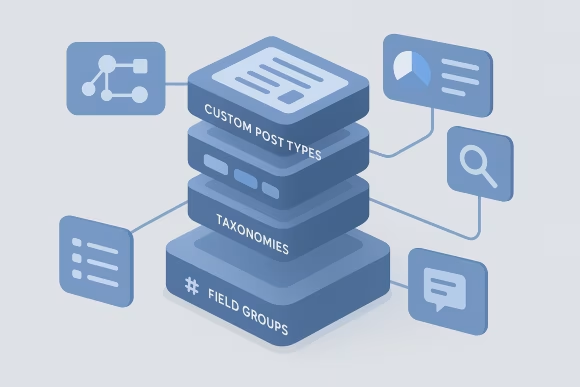
Define WordPress content structures that reflect business semantics rather than legacy constraints. This includes custom post types, taxonomies, field groups, and relationship patterns that support querying, rendering, and editorial workflows. Modeling decisions are documented and aligned to future change so the platform can evolve without repeated rework.

Implement transformation logic that consistently maps source fields, formats, and references into WordPress. Normalization rules handle legacy inconsistencies, encoding issues, and structured data conversions. Deterministic transforms make dry-runs comparable and reduce the risk of unexpected content drift between environments and cutover runs.

Build repeatable import mechanisms using WP-CLI, database staging, or API-based ingestion depending on constraints. Pipelines support incremental runs, idempotent behavior where possible, and clear run logs. This enables multiple rehearsal migrations and controlled final runs without relying on manual editorial intervention.
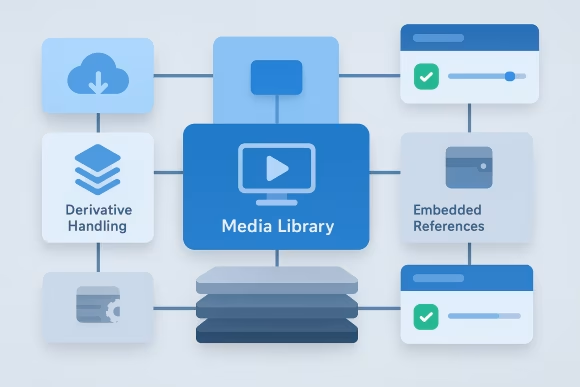
Migrate media libraries with stable identifiers, correct metadata, and consistent file handling. Asset ingestion accounts for derivatives, embedded references, and legacy storage patterns. The approach ensures that content renders correctly and that media delivery integrates with CDN and caching strategies when required.
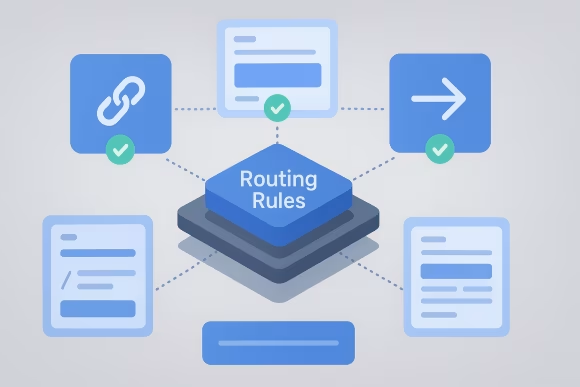
Preserve URL structures through routing rules, permalink design, and redirect mappings. Redirect coverage is validated at scale to protect SEO and user navigation, including edge cases such as legacy aliases and parameterized URLs. Canonical behavior is aligned with the target platform’s rendering and caching model.
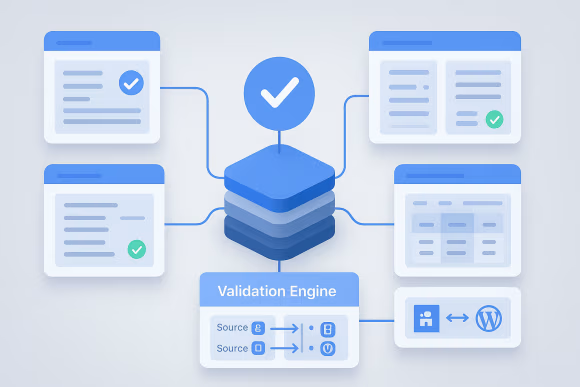
Use automated checks to verify completeness and correctness across large content sets. Validation includes record counts, field-level parity, relationship integrity, and sampling-based semantic review. Reconciliation reports provide traceability from source IDs to WordPress entities, supporting auditability and defect triage.

Define operational controls for freeze windows, delta migrations, and switch-over steps. Monitoring and rollback criteria are established before launch, with runbooks that align engineering and operations. This reduces downtime risk and makes the transition manageable for enterprise stakeholders.
Use the Health Check to identify structural gaps, broken mappings, and cutover issues before they become launch blockers.
Engagements follow a clear engineering sequence from discovery and content inventory through content model and taxonomy migration to WordPress, pipeline implementation, validation, and cutover planning with rollback. The delivery model is designed for repeatable dry-runs across environments (including Docker-based WordPress environments when appropriate) so run duration, redirect coverage, and data integrity can be verified before launch.
[01]Assess the source CMS, content volumes, URL patterns, and editorial workflows. Produce an inventory and identify high-risk areas such as complex relationships, embedded media, and legacy routing behavior.
 [02]
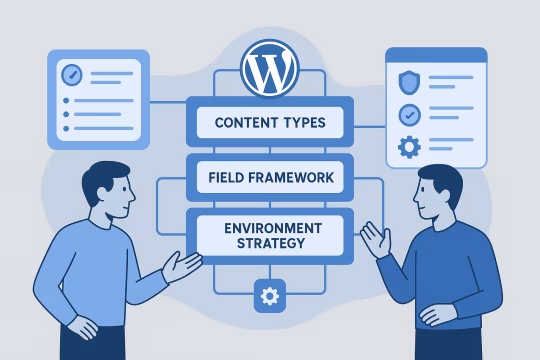
[02]Confirm the WordPress architecture assumptions that affect migration, including content types, field frameworks, and environment strategy. Align on non-functional requirements such as performance, security, and operational constraints.
 [03]
[03]Create mapping specifications and prototype representative content types end-to-end. Validate that the target model supports rendering and editorial needs before scaling the migration pipeline.
 [04]
[04]Build automated extraction, transformation, and import workflows. Ensure runs are repeatable, logged, and configurable for different environments and incremental execution.
 [05]
[05]Run dry-runs with automated validation and reconciliation reports. Triage defects, refine transforms, and re-run until acceptance criteria for completeness and correctness are met.
 [06]
[06]Prepare redirect rules, monitoring, and operational runbooks. Plan freeze windows, delta migration steps, and rollback criteria with engineering and operations stakeholders.
 [07]
[07]Execute cutover, verify routing and content integrity, and monitor platform behavior. Address post-launch issues through targeted fixes or controlled re-runs, then hand over documentation and governance guidance.
A structured, SEO-safe WordPress migration reduces platform risk while enabling modernization. The primary impact comes from preserving critical platform behaviors—content integrity, SEO redirect and URL mapping coverage, and operational controls—so teams can replatform from a legacy CMS to WordPress without extended freezes or prolonged remediation.
Repeatable pipelines and measurable validation reduce uncertainty during replatforming. Stakeholders can make go/no-go decisions based on reconciliation data rather than manual spot checks.
Cutover planning, delta runs, and operational runbooks reduce the likelihood of extended outages. Rollback criteria and monitoring provide control when unexpected issues appear.
URL parity and redirect coverage protect organic traffic and user navigation. Canonical behavior and edge-case routing are validated before launch to avoid post-migration cleanup.
Field-level mapping and relationship handling preserve content semantics across systems. Reconciliation reports provide traceability from source records to WordPress entities for audit and defect resolution.
A clean target content model and documented governance reduce friction for new features. Teams spend less time compensating for legacy inconsistencies embedded in the new platform.
Environment strategy and scripted runs make migrations reproducible across stages. This supports compliance needs, release management, and future platform evolution work.
Automation minimizes the need for large-scale manual fixes and spreadsheet-driven remediation. Editorial teams can focus on content quality rather than data repair during the transition.
Before you migrate
Confirm redirects, data integrity, media handling, and rollout readiness with a WordPress Health Check built for migration projects.
These related services extend enterprise WordPress migration and replatforming work into adjacent areas—platform strategy, modernization, multisite architecture, and integrations—so the WordPress platform can evolve after the migration.
WordPress REST API engineering and GraphQL API design
GA4 event tracking WordPress with governed measurement
WordPress lead contact sync with secure lead capture
WordPress integration services for secure API connections
Custom WordPress REST endpoints, schemas, and authentication patterns
Upgrade-ready architecture, WordPress CI/CD and DevOps, and operational hardening
Enterprise WordPress Platform Engineering
WordPress platform strategy consulting: architecture principles, governance, and roadmap definition
Enterprise WordPress network design for multi-site ecosystems
Common questions about WordPress migration scope, architecture decisions, operational readiness, and how engagements are structured.
We start from the business semantics and delivery needs, not from the legacy CMS schema. The process typically includes a content inventory, identification of canonical content types, and a mapping workshop to define what becomes a custom post type, taxonomy, or structured field group. We also define relationship patterns (references, parent-child, many-to-many) and how those relationships will be queried and rendered. For enterprise platforms, we explicitly document constraints that affect the model: multi-site boundaries, localization, workflow states, permissioning, and integration requirements (search indexing, analytics tagging, downstream feeds). We then prototype a small set of representative content types end-to-end, including rendering assumptions, to validate that the model supports real use cases. The output is a versioned mapping specification and a target model that can evolve. That includes naming conventions, field governance, and rules for handling legacy edge cases so future changes do not require reworking the migration logic.
We treat URL continuity as an architectural requirement. First, we analyze the legacy URL space: patterns, aliases, trailing slash behavior, query parameters, and any special-case routes. We then decide what can be preserved via WordPress permalink configuration and what requires explicit redirect rules. Redirects are produced from a deterministic mapping between legacy identifiers and the new WordPress entities. For large sites, we generate redirect artifacts programmatically and validate coverage with automated checks (for example, ensuring every legacy URL has either a matching new URL or a redirect target). We also test canonical tags, pagination behavior, and any language or site-segment routing. Finally, we validate routing in a staging environment that mirrors production edge behavior (CDN, caching, reverse proxy rules). This avoids surprises where WordPress is correct but the delivery stack changes URL handling at the edge.
Downtime depends on content volume, the ability to run delta migrations, and how the legacy platform handles content freezes. Our goal is to minimize downtime by rehearsing multiple dry-runs, measuring run duration, and designing the pipeline so the final cutover run is predictable. A typical approach is: (1) run one or more full migrations into staging/pre-prod, (2) validate and fix issues until acceptance criteria are met, (3) schedule a short freeze window, (4) run a final delta migration for changes since the last rehearsal, and (5) switch routing/DNS with monitoring in place. If the legacy system supports change tracking, delta runs can be efficient; if not, we plan for a longer freeze or a controlled content lock. We define rollback criteria and operational runbooks before cutover. That includes what constitutes a blocking issue, who makes the decision, and how to revert routing if needed.
We set up environments so migration runs are reproducible and comparable across stages. Practically, this means consistent WordPress configuration, versioned migration code, and controlled data inputs. Docker-based setups are often used to standardize local and CI execution, while staging and pre-production mirror production infrastructure constraints as closely as possible. We separate concerns: the migration pipeline (extract/transform/import), the WordPress application, and the validation tooling. Each run produces logs and reconciliation outputs that can be diffed between runs. Where possible, imports are designed to be idempotent or at least safely re-runnable with predictable outcomes. This structure enables iterative improvement: teams can fix mapping issues, re-run, and verify that the delta is understood. It also supports cutover readiness by providing reliable estimates for run duration and operational steps.
We start by identifying the target identity model: native WordPress users, external identity via SSO, or a hybrid. For enterprise platforms, authentication is often handled by an identity provider, which changes what “user migration” means. In SSO scenarios, we may migrate only author attribution and role mappings, while user accounts are provisioned through the identity system. If users must be migrated, we map roles and capabilities explicitly and define how to handle password resets, inactive accounts, and duplicate identities. We also address audit requirements such as preserving author history and editorial accountability. For integrations, we validate that authentication flows work across environments and that permissions align with editorial workflows. The migration plan includes testing for edge cases like restricted content, scheduled publishing, and API access patterns that depend on user context.
We inventory integrations early because they influence both the content model and cutover sequencing. For search, we confirm what system is authoritative (WordPress native search, external search service, or an indexing pipeline) and ensure the migrated content includes the metadata required for indexing. We plan re-indexing steps and validate that filters, facets, and relevance signals still work with the new structure. For analytics, we aim for continuity: consistent page identifiers, stable URL tracking, and preserved event semantics where possible. If the frontend changes, we document differences and coordinate with analytics stakeholders to avoid losing comparability across reporting periods. Downstream integrations (feeds, APIs, data exports) are treated as contracts. We identify consumers, define expected schemas, and test against staging data. Cutover includes a plan for switching endpoints and monitoring for integration failures.
We establish lightweight governance that matches the organization’s operating model. At minimum, we document the target content model, naming conventions, and rules for introducing new fields or taxonomies. For larger platforms, we recommend a change process where content model updates are reviewed by a small group (platform and content operations) and tracked in version control. We also align tooling: field configuration should be deployable and environment-consistent, not manually edited in production. That may involve configuration management approaches, deployment checks, and a clear separation between editorial content changes and structural model changes. Finally, we define observability for content health: validation scripts or reports that can be re-run periodically to detect anomalies (for example, missing required fields or broken references). This keeps the platform maintainable and reduces the cost of future evolution work.
Redirect ownership should be explicit because URL changes are a cross-functional concern spanning SEO, product, and engineering. We typically recommend a model where engineering owns the redirect mechanism and deployment process, while SEO/content stakeholders own the intent and prioritization of URL changes. During migration, we produce a redirect inventory and categorize it: deterministic redirects generated from mappings, curated redirects for special cases, and deprecations where content is intentionally removed. After launch, we define how new redirects are requested, reviewed, tested, and deployed. For enterprise environments, this often includes a ticketed workflow and a staging validation step. We also recommend periodic redirect hygiene: removing chains, monitoring 404s, and validating that canonical behavior remains consistent as the platform evolves. This prevents redirect sprawl and reduces long-term maintenance overhead.
Risk reduction comes from making migration outcomes measurable. We define acceptance criteria per content type: record counts, required fields, relationship integrity, and media completeness. Each migration run produces reconciliation outputs that trace source identifiers to WordPress entities, making it possible to prove completeness and to triage discrepancies. We also handle data quality issues explicitly. Legacy platforms often contain malformed HTML, inconsistent encodings, or fields used in multiple ways over time. We implement normalization rules and document exceptions rather than silently dropping or “best-effort” importing content. Finally, we use rehearsal runs to surface issues early. By running multiple dry-runs against production-like data, teams can fix mapping and transform logic before cutover. This is more reliable than relying on manual sampling late in the project.
Rollback planning starts with defining what is reversible and what is not. The most common rollback lever is routing: if the new platform exhibits blocking issues, traffic can be switched back to the legacy platform while remediation occurs. We define the technical steps (DNS, load balancer, CDN rules) and the decision criteria for executing that switch. We also plan for data consistency. If content changes occur during or after cutover, we need to understand whether those changes must be replayed into the legacy system in a rollback scenario, or whether the organization accepts a temporary content freeze until stability is confirmed. This is agreed upfront as part of operational readiness. In practice, a good rollback plan includes: named decision-makers, time-boxed checkpoints, monitoring signals, and a rehearsed procedure. The goal is not to expect failure, but to ensure the organization retains control during a high-change event.
Client-side participation is usually needed from three areas: platform engineering, content operations, and stakeholders responsible for SEO and analytics. Platform engineering provides access, environment coordination, and integration knowledge. Content operations validates that the target model supports editorial workflows and helps resolve legacy content inconsistencies. SEO/analytics stakeholders confirm URL strategy, tracking continuity, and reporting requirements. We typically ask for a product or platform owner to make scope and trade-off decisions, especially around edge cases and content that does not map cleanly. For large migrations, having a designated content lead accelerates decisions on taxonomy normalization, deprecations, and content cleanup responsibilities. We can run the migration engineering work end-to-end, but migration success depends on timely decisions and validation. Clear ownership for acceptance criteria and sign-off reduces late-stage churn and cutover risk.
Timelines vary based on content volume, complexity of relationships, number of templates or frontends involved, and integration scope. A small, low-complexity site may be migrated in weeks, while enterprise platforms with multiple sites, localization, and complex routing can take several months. We structure the work to provide early certainty. Discovery and modeling typically produce a migration plan and a prototype quickly, which helps validate assumptions. Pipeline implementation and iterative dry-runs then scale the approach across content types. The cutover phase is planned once run durations and validation results are stable. The most common timeline risks are late discovery of legacy edge cases, unclear ownership for content decisions, and underestimating URL and redirect complexity. Addressing these early is usually more impactful than adding more implementation capacity later.
Collaboration usually starts with a short discovery phase focused on scope, risk, and feasibility. We request access to a representative content export (or read-only access to the source CMS and database), a URL sample or sitemap, and documentation of key integrations and editorial workflows. We also align on non-functional requirements such as downtime tolerance, SEO constraints, and security/compliance expectations. From there, we run an inventory and mapping workshop to define the target content model and identify high-risk content types. We typically prototype one or two representative migrations end-to-end to validate the approach, including import, rendering assumptions, and validation reporting. The outcome is a migration plan with sequencing, acceptance criteria, environment strategy, and a cutover outline. This gives stakeholders a concrete basis for timeline, resourcing, and operational readiness decisions before full-scale implementation begins.
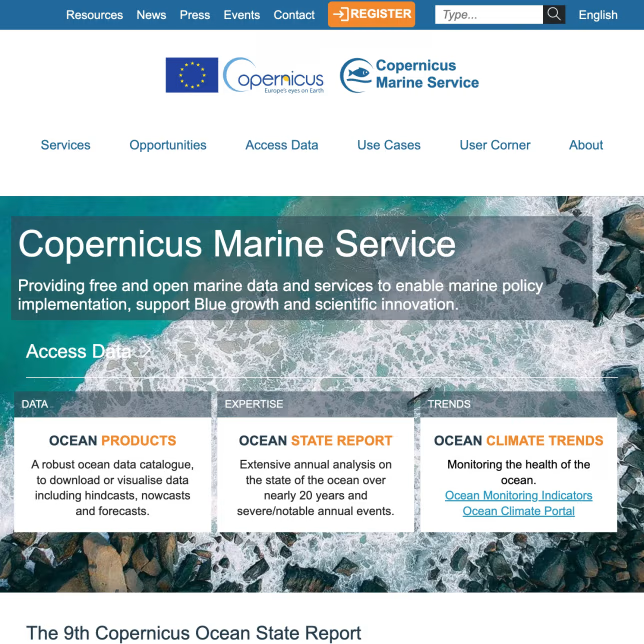
These case studies showcase complex content migration and consolidation efforts involving WordPress and Drupal platforms. They highlight automated migration pipelines, content model alignment, and governance strategies that reduce operational risk and preserve SEO during platform evolution. The selected work demonstrates practical delivery of large-scale CMS migrations with validation, rollback controls, and scalable editorial workflows relevant to enterprise WordPress migration services.
The existing marine data portal relied on three unaligned WordPress installations and embedded PHP code, creating inefficiencies and risks in content management and usability.
The new Drupal DXP streamlined content operations and improved accessibility, offering scientists and businesses a more efficient gateway to marine data services.
UNCCD operated four separate websites (two WordPress, two Drupal), leading to inconsistencies in design, content management, and user experience. A unified, scalable solution was needed to support a large-scale CMS migration project and improve efficiency and usability.
The modernization effort resulted in a cohesive, user-friendly, and scalable website, improving content management efficiency and long-term digital sustainability.
It was my pleasure working with Oleksiy (PathToProject) on a new Drupal website. He is a true full-stack developer—the ideal mix of DevOps expertise, deep front-end knowledge, and the structured thinking of a senior back-end developer.
He is well-organized and never lets anything slip. Oleksiy understands what needs to be done before being asked and can manage a project independently with minimal involvement from clients, product managers, or business analysts.
One of the best consultants I’ve worked with so far.

Andrei Melis
Technical Lead at Eau de Web
Oleksiy (PathToProject) is demanding and responsive. Comfortable with an Agile approach and strong technical skills, I appreciate the way he challenges stories and features to clarify specifications before and during sprints.

Olivier Ritlewski
Ingénieur Logiciel chez EPAM Systems
Oleksiy (PathToProject) was the Lead Developer on a number of client projects which I managed. He is highly skilled and incredibly hardworking. When assigning work to him, I could always rely on it being completed to a high quality and on time.
His technical expertise was valued across the team and he was often our 'go to' for technical challenges, which he loved to get stuck into. Oleksiy is proactive and engaged in a professional manner with our clients.
I have no hesitation in recommending him.

Daniela Graf
Senior Project Manager | Change Mgmt Practitioner | Process Improvement Geek
These articles add practical context for enterprise WordPress migration work, from content model readiness and information architecture to integration patterns and platform governance. They are useful for understanding the decisions that shape a safe migration, a clean target architecture, and long-term operability after cutover.
Share your current CMS, content volumes, and URL constraints. We will assess migration risk, define a target content model, and outline a repeatable pipeline and cutover plan aligned to your operational requirements.