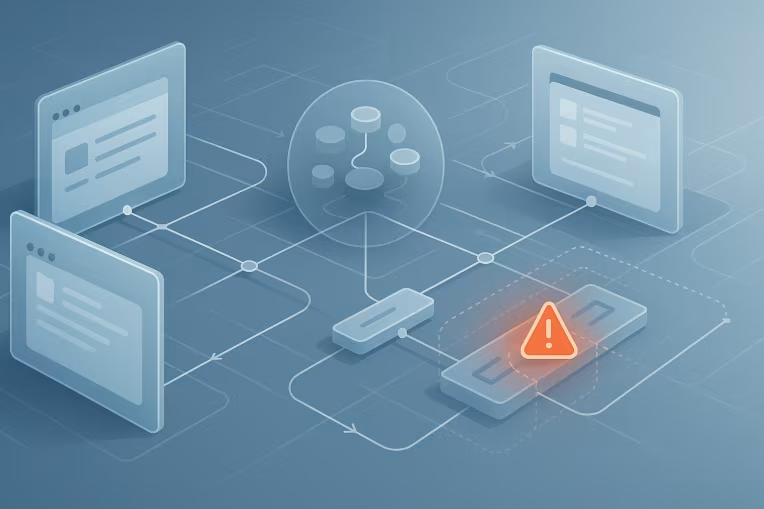
In a multi-app platform, a broken shared component is rarely just a normal bug. If the component sits inside a design system package used across several products, one defect can spread into multiple customer journeys at the same time. What looks small in isolation—a button style regression, a focus trap failure, a token change, a runtime incompatibility—can quickly become a platform incident.
That is why mature teams often need a distinct operating model for design system incident response. The goal is not to create extra process for every defect. The goal is to recognize when a component issue has crossed from backlog work into coordinated operational response.
When that distinction is clear, teams can make better decisions under pressure:
- Which apps are exposed right now?
- Is the safest move a rollback, a hotfix, or a compatibility patch?
- Who owns communication?
- Which releases should continue, and which should pause?
- What controls should be added so the same failure has less reach next time?
This article outlines a practical incident model for enterprise frontend platforms, especially where shared npm packages, monorepos, Storybook-driven component libraries, and multiple application release cadences are already part of the delivery landscape.
Why shared component failures become platform incidents
A component inside a design system has a different risk profile from app-local UI code.
If a product team ships a defect in a feature-specific component, the blast radius is usually contained to one application and one release stream. But if the defect sits in a shared library, the failure can move through the platform in several ways:
- a newly published package version gets adopted by multiple apps
- an automatic dependency update pulls the defect into downstream builds
- a monorepo release changes behavior across several deployable frontends at once
- a token or styling change affects consuming apps even if their feature code did not change
- a runtime or framework compatibility issue breaks only certain app versions, making detection slower and triage harder
This is what makes the incident operational rather than purely technical. The problem is not just that the component is wrong. The problem is that ownership, release timing, and customer impact now span multiple teams.
In enterprise environments, platform leaders often need to answer two questions quickly:
- How bad is the user impact?
- How far has the defect traveled?
Without that framing, organizations tend to fall into one of two ineffective patterns:
- treating the issue like normal backlog work and reacting too slowly
- freezing all frontend delivery across all teams, even when only a subset of apps is truly affected
A better response model aims for targeted control rather than broad panic.
Common failure modes: accessibility regressions, styling breaks, runtime incompatibilities, token changes
Not every shared component defect behaves the same way. Classification matters because the right response depends on the failure mode.
Some common categories include:
- Accessibility regressions: keyboard navigation breaks, focus management fails, labels become detached, contrast drops below acceptable thresholds, or screen reader behavior changes unexpectedly.
- Styling and layout breaks: spacing, alignment, layering, responsive behavior, or visual state changes create obvious usability problems or damage brand consistency.
- Runtime incompatibilities: a component update assumes a newer React, Next.js, bundler, or browser behavior than some consuming apps support.
- Design token changes: token renames, semantic token re-mapping, or altered fallback behavior create system-wide visual regressions.
- Behavioral API changes: props still compile, but the interaction model changes in ways that break downstream assumptions.
- Build and packaging defects: incorrect exports, module format issues, missing CSS artifacts, or tree-shaking side effects prevent successful builds or produce partial runtime failures.
These categories are useful because they suggest different operational questions.
For example, an accessibility regression in a modal component may justify rapid intervention even if only a subset of pages is affected, because the user harm is immediate and the defect can block task completion. A styling regression in a low-priority internal tool may still matter, but it may be safe to route through a planned patch path rather than incident-level coordination.
Likewise, runtime incompatibility often requires a more careful response than a straightforward hotfix. The library may work correctly for apps on one framework version and fail for others. In that case, the issue is not only defective code; it is also incomplete compatibility governance.
Severity model: what is critical, widespread, or safe to defer
A severity model helps teams avoid debating fundamentals in the middle of an incident. It does not need to be elaborate. It needs to support fast, defensible decisions.
A useful design system severity model usually considers four dimensions:
- User impact: Are users blocked, misled, unable to complete key tasks, or exposed to accessibility barriers?
- Breadth of exposure: How many apps, routes, tenants, or user segments are affected?
- Adoption state: Is the defect only in the latest package version, or has it already propagated into production across multiple applications?
- Recoverability: Can teams safely roll back, or would rollback create additional risk due to dependent changes?
A practical way to reason about severity is:
- Critical: breaks a core journey, creates a serious accessibility failure, or causes widespread runtime instability in production. Requires immediate coordinated response.
- High: significantly degrades multiple applications or important journeys, but with workarounds or partial containment available.
- Moderate: causes visible or meaningful defects with limited spread, limited user harm, or low-risk remediation paths.
- Deferrable: real issue, but narrow in scope, low in customer impact, and safe to address through normal release planning.
The important point is not the labels themselves. It is the decision logic behind them.
For example, a visual regression in a shared badge component might be minor in one context and incident-worthy in another if that component appears in checkout, identity verification, or compliance-sensitive flows. Severity should reflect platform reality, not just technical elegance.
Triage workflow across product teams, design system owners, and release managers
When a shared component fails, triage has to move across team boundaries quickly. The most effective workflows usually establish a temporary incident cell with clearly assigned roles rather than relying on informal chat-thread coordination.
A simple model can look like this:
- Incident lead: coordinates status, decisions, and timelines
- Design system technical owner: investigates root cause within the shared package
- Product application representatives: confirm impact in consuming apps and validate fixes
- Release manager or delivery coordinator: manages deployment, rollback windows, and freeze boundaries where needed
- Design and accessibility stakeholders: validate user-facing and compliance-sensitive consequences when relevant
The early triage sequence often follows five steps.
-
Confirm the issue is real and shared
Determine whether the problem comes from the design system itself, app-specific integration, or a local implementation mistake. -
Establish blast radius
Identify which components, package versions, applications, environments, and user journeys are affected. -
Classify severity
Apply a consistent incident threshold based on user impact and spread. -
Choose a stabilization path
Decide whether to roll back, patch forward, add compatibility handling, or isolate affected consumers. -
Control communication
Publish one source of truth for status, affected versions, required team actions, and expected next updates.
In practice, triage often stalls at step two because teams do not have immediate visibility into dependency relationships. If nobody can quickly answer which apps consume @company/design-system version x.y.z, the organization loses valuable time. That is why dependency visibility is an operational capability, not just a developer convenience.
Rollback, hotfix, patch, and compatibility-layer decision paths
Once the incident is confirmed, the next decision is how to stabilize the platform without creating more disruption than necessary.
There is no single correct path for every incident, but the tradeoffs are usually clear.
Rollback is often best when:
- the defect is recent and clearly linked to a specific release
- the previous version is known to be stable
- consuming apps can revert quickly without additional migration work
- the user impact is immediate and severe
Rollback is attractive because it reduces time to stability. But it is not always clean. Some applications may already depend on newly introduced APIs, tokens, or behavior from the latest version. In those cases, a full rollback may break downstream code or force teams into rushed application changes.
Hotfix forward is often best when:
- the root cause is isolated and well understood
- rollback would create larger compatibility problems
- consuming teams can adopt the patched version quickly
- test coverage is strong enough to reduce the risk of a second failure
Hotfixing forward is common in monorepo or tightly governed ecosystems, but it requires discipline. A rushed patch without enough verification can turn one incident into two.
Patch release with selective adoption is often appropriate when:
- impact is significant but not universal
- only some applications are affected
- release managers can coordinate adoption without halting unaffected teams
This path works well when organizations want to avoid a platform-wide freeze. The key is explicit guidance about which teams must upgrade immediately and which can continue on current versions.
Compatibility layer or temporary guard can be useful when:
- the issue comes from framework-version differences across consuming apps
- a deprecation or token migration exposed inconsistent adoption states
- a short-term adapter can reduce blast radius while a longer fix is prepared
This is especially relevant in large React or Next.js estates where not every application upgrades at the same pace. A compatibility layer is rarely the ideal long-term answer, but it can be the right operational choice when it preserves delivery while reducing user risk.
A good incident response does not treat these options as purely technical. It evaluates them against customer harm, release timing, downstream effort, and confidence in the recovery path.
Dependency visibility: knowing which apps and versions are exposed
Many design system incidents feel worse than they are because organizations cannot map exposure quickly.
At minimum, platform teams should be able to answer:
- which applications consume the affected package
- which versions are deployed in each environment
- whether the affected component is actually used in those apps
- whether the consuming apps are on different framework or token baselines
- which teams own the impacted applications
This visibility can come from different mechanisms depending on the engineering model:
- monorepo dependency graphs
- package lockfile analysis across repositories
- CI-generated inventories of deployed package versions
- release metadata attached to application builds
- component usage scanning where feasible
Perfect visibility is not always realistic. But partial visibility is far better than guessing.
Even a lightweight matrix can materially improve response:
| Application | DS Version | Framework Baseline | Affected Component Used | Production Exposure | Owner | |---|---|---|---|---|---| | App A | 4.6.2 | React 18 / Next 14 | Yes | Yes | Team Alpha | | App B | 4.5.9 | React 17 | No | No | Team Beta | | App C | 4.6.1 | React 18 | Yes | Staging only | Team Gamma |
A table like this turns abstract concern into concrete action. It shows who must act now, who can wait, and where compatibility constraints may complicate rollback or patch adoption.
Communication templates, incident ownership, and post-incident review
When multiple product teams are involved, communication quality can determine whether the incident feels controlled or chaotic.
A useful incident update does not need to be long. It needs to be structured. For example:
- Issue: Modal component focus regression after design system
4.6.2 - Status: Investigating / mitigated / patch in validation / resolved
- Severity: High
- Affected versions:
4.6.2and4.6.3 - Affected consumers: App A and App C confirmed; App D under review
- Impact: keyboard users cannot reliably navigate modal actions in production journeys
- Required action: do not promote builds using
4.6.2; App A roll back to4.6.1; validation patch ETA 14:30 - Next update: 30 minutes
This format reduces repeated questions and helps release managers make bounded decisions.
Incident ownership also matters. Shared components often sit in an ambiguous zone between platform and product. During an incident, ambiguity slows response. Teams should be explicit about:
- who declares a design system incident
- who owns technical diagnosis of the shared package
- who approves rollback or emergency patch publication
- who communicates required actions to consuming teams
- who closes the incident after validation
After recovery, the post-incident review should go beyond root cause in code. It should examine operating model weaknesses such as:
- Why was the defect not detected before release?
- Why did it propagate as far as it did?
- Which teams lacked version or usage visibility?
- Were ownership and escalation paths clear?
- Did release policy help containment or make it harder?
For design system incidents, the best lessons often come from the propagation mechanics, not only the coding defect.
Preventive controls: contract tests, canary rollout, support windows, compatibility matrices
Incident response is necessary, but the real maturity signal is reducing how often shared defects become platform events.
Several preventive controls are especially valuable in multi-app frontend ecosystems.
Contract tests
A shared component should be tested not only in isolation but also against its expected consumer contract. That can include prop behavior, accessibility semantics, DOM structure guarantees where necessary, token resolution, and integration behavior that downstream apps rely on. Contract tests are useful because they catch accidental breaking changes even when component stories still look correct.
Canary rollout
Instead of promoting every design system release broadly at once, teams can validate it in a smaller set of representative applications first. This is particularly helpful when apps differ by framework version, rendering mode, or deployment model. A canary path gives the platform a chance to observe integration behavior before widespread adoption.
Support windows
Enterprise platforms often benefit from explicit support expectations for package versions. This does not require rigid or universal SLA claims. It simply means teams know which version ranges are actively supported, which are nearing end of support, and which compatibility combinations will not receive emergency fixes.
Compatibility matrices
If a design system supports multiple app baselines, document that reality. A compatibility matrix covering package version, framework version, token model, browser expectations, and major integration constraints helps teams assess upgrade risk before release day.
Automated release checks
Build pipelines can validate more than unit tests. They can verify package exports, CSS artifact generation, visual baselines, accessibility checks, and smoke tests in representative consumer apps. In practice, these controls are strongest when they are embedded in Headless DevOps workflows rather than treated as optional team-by-team conventions.
Change classification in release governance
Not all design system changes deserve the same release treatment. Token changes, interaction-model changes, and framework-level packaging changes often warrant stricter review than a localized internal refactor. Release governance should reflect the probable blast radius of the change.
Consumer-aware testing
Storybook, visual regression tooling, and automated tests are useful, but they do not fully replace testing in real application contexts. A small set of reference applications can serve as platform-level smoke tests for major component and token releases.
The aim is not to eliminate all risk. It is to make shared defects rarer, easier to detect, and easier to contain.
Building a usable operating model
The strongest design systems are not just well-designed component libraries. They are well-operated shared platforms.
That means treating incident response as part of design system architecture operations, not as an exceptional activity improvised during a bad release. Teams do better when they already know how to:
- classify a shared component failure
- identify exposed consumers and versions
- assign incident ownership quickly
- choose between rollback, hotfix, patch, or compatibility mitigation
- communicate required actions clearly
- feed lessons back into release and compatibility controls
For multi-app frontend platforms, the practical goal is not zero incidents. It is controlled blast radius.
A broken shared component should not automatically force every team into a freeze, and it should not drift through normal backlog channels when real production journeys are at risk. The right model sits between those extremes: disciplined enough to protect users, and targeted enough to preserve delivery momentum where it is safe to do so.
That is the core of effective design system incident response. It turns a fragile shared dependency into an operable platform capability.
Tags: Design Systems, design system incident response, shared component failure, frontend incident management, multi-app frontend governance, design system operations